Comparisons
How to Watch IPTV on Several TVs at Home: Connections, Plans and Setup
Watching IPTV on multiple TVs comes down to connections. How 1, 2 and 3-connection plans work, which your home needs, and how to set up each TV.
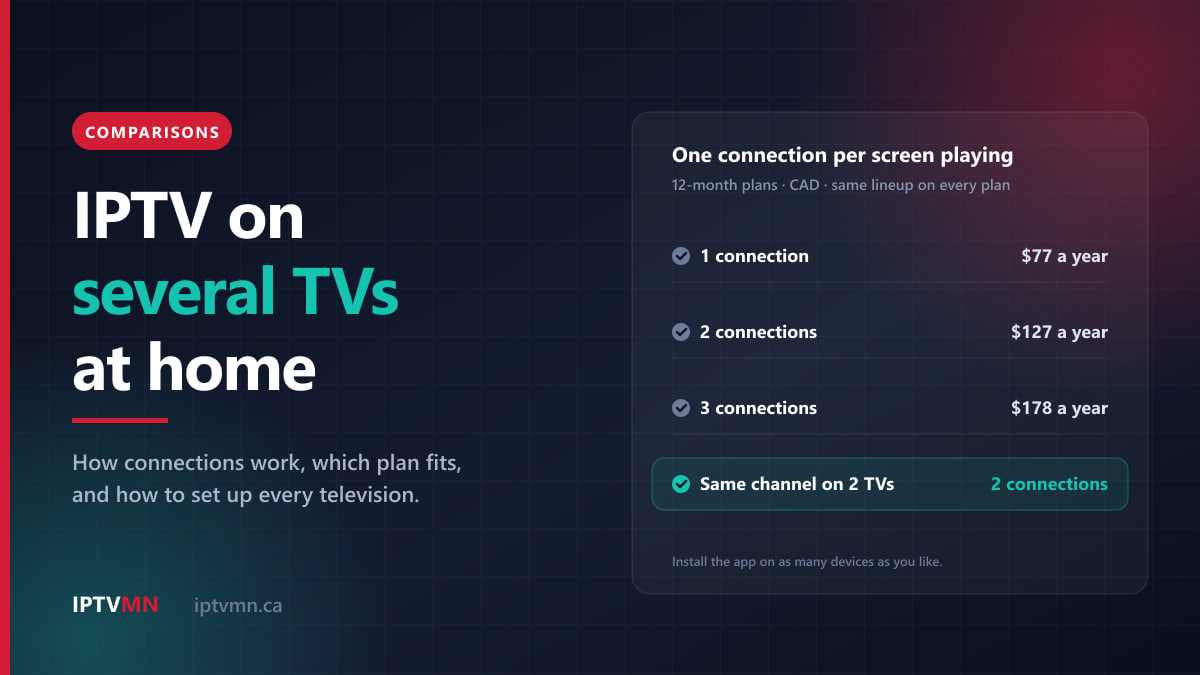
To watch IPTV on multiple TVs at home, install a player app on each television, sign in on every one with the same login, and choose a plan with enough connections for the screens that play at the same time. A connection is one screen watching at a time, so on a two-connection plan the living room can show a hockey game while the basement shows a film.
You do not need a separate subscription for each TV, a cable outlet in each room or a rented receiver per set. You need three things: a way for each television to run the app, enough steady internet for every screen that plays together, and an honest count of how many people really watch at once. This guide covers all three, with the plan maths taken from the current price list.
The short answer
- One login, every TV. You can install the app on as many televisions, sticks, phones and tablets as you like, and sign in on each with the same details.
- Connections count screens playing, not devices installed. Two TVs showing the same game still use two connections.
- Count your busiest evening, not your televisions. The most screens that play at the same moment, including phones, recordings and multi-view tiles, is the number of connections you need.
- One bigger plan costs less than several small ones. At IPTV MN, two connections for a year cost $127 and three cost $178, against $154 and $231 for separate one-connection plans.
- Every extra screen needs its own bandwidth, about 15 to 20 Mbps for Full HD. Three Full HD TVs together need 45 to 60 Mbps that holds steady.
- The weak spot is usually the far TV’s Wi-Fi, not the internet plan. The set in the basement or the back bedroom is the one that stutters.
- The login stays inside your household. Family in another home need their own subscription.
What does a “connection” mean on an IPTV plan?
A connection is one stream playing at one moment. When a television opens a channel, the server starts sending that screen its own stream of video, and the stream occupies one of your plan’s connections until it stops. The what is IPTV page explains the chain from the server to your app if you want the technical background.
The number of devices with the app installed does not matter. You could set up five televisions, two tablets and a laptop on a one-connection plan, and every one of them would work, just never two at the same time. IPTV MN sells plans with one, two or three connections, and every plan opens the same lineup: more than 54,000 live channels, 195,000 movies and 45,000 TV shows. The connection count changes only how many screens can play together.
This is how common situations count:
| What is happening | Connections in use |
|---|---|
| One TV playing a live channel | 1 |
| Two TVs showing the same hockey game | 2 |
| A TV playing a film from the on-demand library | 1 |
| A phone or tablet playing anywhere, at home or away | 1 |
| Watching one channel while the app records another | 2 |
| Multi-view with two channels side by side | 2 |
| A streaming stick still playing after the TV screen was switched off | 1 |
| The app open on the guide or a menu, with nothing playing | Usually 0 |
Two rows catch people out. The same game on two TVs is still two streams, because each screen gets its own. And the phone counts too: your login works on any internet connection, so a family member watching at the cottage is using one of the household’s connections while they do.
The “usually” in the last row is there because some apps play a small preview of the highlighted channel inside the guide, and that preview is a stream like any other.
What happens if one more screen tries to play?
That extra screen will not play. Many apps show a message about too many connections or the maximum number of connections; others simply fail to open the channel. Nothing extra is charged and nothing is broken. Stop playback on another screen and try again. If the connection does not free up straight away, give it a minute, because it can take a moment for the server to register that a stream has ended.
How many connections does my home need?
Count screens, not televisions. A house with four TVs that rarely has more than two on at once is a two-connection home. An apartment with one TV, where one person watches the game while the other streams a film on a tablet, is also a two-connection home.
The most reliable way to count takes five minutes:
- Pick your busiest stretch of the week. For many Canadian homes that is Saturday evening in hockey season, a Sunday of NFL, or a playoff night.
- List every screen that plays during it. Televisions, tablets, phones and laptops, including the one a teenager watches in bed.
- Add the extras. One connection for every recording running in the background, and one for each extra tile if anyone uses multi-view.
- Take the highest number that happens at the same moment. That is your connection count. Screens that play at different times share a connection without any trouble.
Some patterns make the answer quick:
- One connection suits a single person, or a couple who watch together and only pick up a tablet when the TV is off.
- Two connections suit a couple with different tastes, a main TV plus a bedroom TV, or one TV plus a phone that is often in use.
- Three connections suit families with children, homes with a basement TV that is on during the game, and anyone who watches two games in multi-view while someone else watches elsewhere.
What if we need more than three screens at once?
No single plan has more than three connections. A household that genuinely plays four or more screens at once, most evenings, can hold a second subscription alongside the first. Each subscription has its own login, so you set the extra TVs up with the second one. A three-connection year plus a one-connection year comes to $255.
Before buying a second plan, check whether the fourth screen is a habit or a once-a-year event. A house rule for the Stanley Cup final costs nothing.
1, 2 or 3 connections: which plan should you choose?
Here are IPTV MN’s current plans side by side. Every column has the same channels and the same on-demand library; only the number of screens that can play together changes.
| 1 connection | 2 connections | 3 connections | |
|---|---|---|---|
| 1 month | $17 | $27 | $39 |
| 3 months | $27 | $47 | $68 |
| 6 months | $47 | $87 | $118 |
| 12 months | $77 | $127 | $178 |
| 12 months, per month | $6.42 | $10.58 | $14.83 |
| 12 months, per screen per year | $77 | $63.50 | $59.33 |
| Full HD bandwidth with every screen playing | 15–20 Mbps | 30–40 Mbps | 45–60 Mbps |
Read the table as the price of each extra screen. On a 12-month plan, the second connection adds $50 for the year ($127 instead of $77) and the third adds $51 ($178 instead of $127). On a single month, the second adds $10 and the third $12. Per screen, the three-connection year is the cheapest way to watch, at $59.33 a screen for the year, but only if you actually use all three. A third connection that nobody uses is $51 spent on nothing.
Every price is in Canadian dollars, paid once by Interac e-Transfer from your bank app. Nothing renews automatically, and there is no equipment rental, activation fee or add-on tier. The pricing page has the full list, and the IPTV subscription page sets out what arrives in the welcome email.
One plan with more connections, or separate plans?
Some households assume each TV needs its own subscription. It does not, and paying that way costs more:
| Screens at once | Separate 1-connection plans | One plan with more connections | Difference |
|---|---|---|---|
| 2, for 12 months | 2 × $77 = $154 | $127 | $27 less |
| 3, for 12 months | 3 × $77 = $231 | $178 | $53 less |
| 2, for 1 month | 2 × $17 = $34 | $27 | $7 less |
| 3, for 1 month | 3 × $17 = $51 | $39 | $12 less |
One plan also means one login for every TV and one renewal date. Separate plans make sense only for separate households, covered further down.
Can I change the number of connections later?
Because nothing renews automatically, every renewal is a fresh choice. A household that bought two connections can renew with three, or drop to one when a student moves out. If you find partway through a plan that you need another screen, message live support and ask about moving to a plan with more connections.
If you are unsure of your count, a single month is a cheap way to find out. Two connections for a month cost $27. Live with it through a couple of busy weekends, then commit to a longer plan once you know.
How do I set up IPTV on a second or third TV?
Adding a television takes about as long as the first one did, usually five to ten minutes. This order avoids surprises:
- Check the plan covers it. If the new TV will play at the same time as the others, it needs a connection of its own.
- Find out whether the TV can run the app itself. Samsung and LG smart TVs from 2018 or later can usually install a player directly, as can Hisense VIDAA sets and televisions running Google TV or Android TV. The setup guides for Samsung smart TVs, LG smart TVs and Android TV and Google TV show the steps.
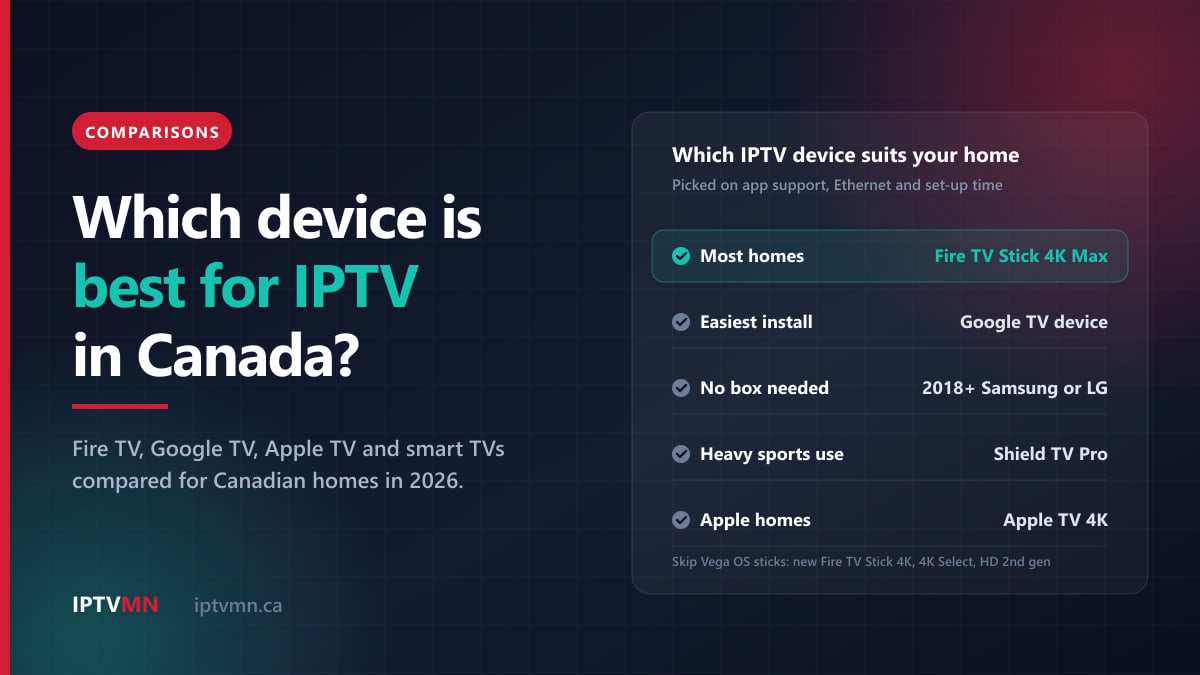
- If it cannot, add a device. Older and non-smart televisions need a stick or a box. Our comparison of the best device for IPTV covers which to buy, and one warning bears repeating: Amazon’s newest Fire TV Sticks run Vega OS, which cannot install IPTV players. The Fire TV Stick 4K Max still runs Fire OS and installs the app as the Fire TV Stick guide describes.
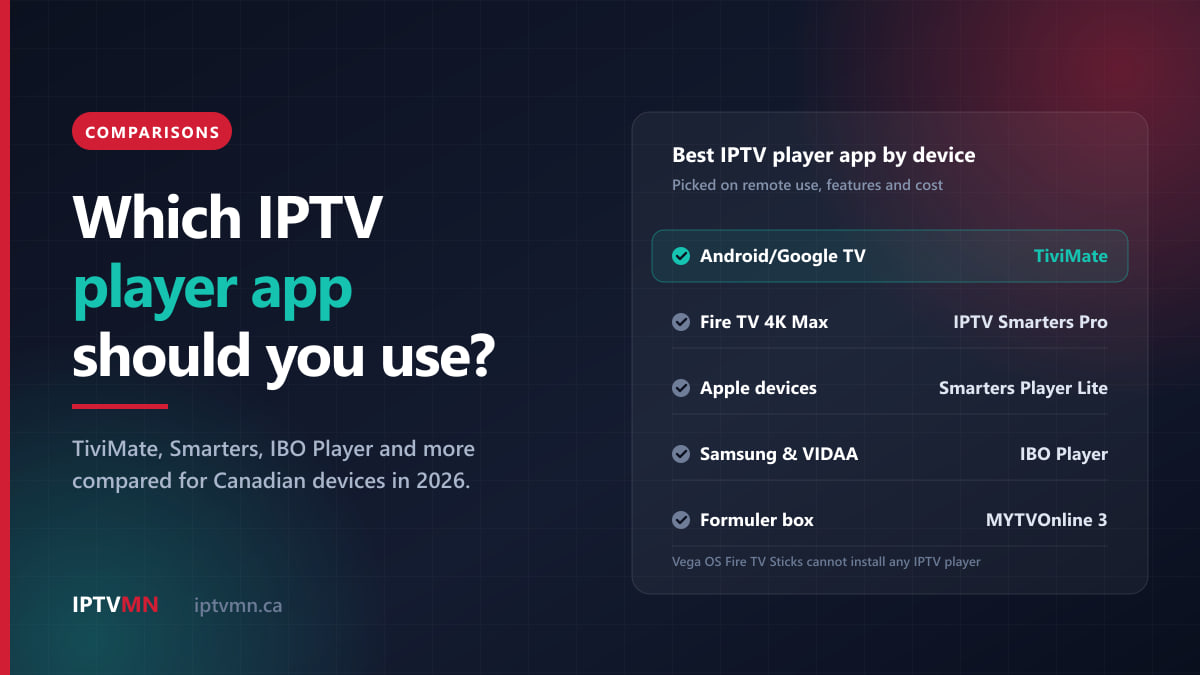
- Install a player app. The TVs do not have to use the same one. A Samsung in the living room can run one app while a stick in the bedroom runs another. The IPTV player apps comparison matches apps to devices.
- Sign in with the same login. Use the Xtream Codes details from your welcome email: the server address, username and password. A Roku uses the M3U playlist link instead, as the Roku guide explains.
- Set the TV up for whoever watches it. In most player apps, favourites and settings are saved on the device, so each television keeps its own list. Put the kids’ channels at the top of the playroom TV and the sports feeds at the top of the basement one.
- Test with every screen playing. Turn all the televisions on at about 8 pm, open a live channel on each and leave them running for half an hour.
Every device the service supports has a written guide on the installation guides page.
Which way of adding a TV suits which room?
| Way to add a TV | Connections used | Different channel from the other TVs? | Extra cost | Best for |
|---|---|---|---|---|
| The TV’s own app | 1 while playing | Yes | Nothing | Recent Samsung, LG, VIDAA and Google TV sets |
| A streaming stick behind the TV | 1 while playing | Yes | The price of a stick | Bedrooms, older TVs, any set without a usable app |
| A dedicated box | 1 while playing, plus 1 per recording | Yes | More than a stick | The main TV, heavy sport, recording |
| One device and an HDMI splitter | 1 in total | No, every TV shows the same picture | A splitter and HDMI cables | Two screens in one room showing one game |
The splitter is the one exception to “one connection per screen”. It copies a single device’s picture to two or more televisions, so they use one connection between them, but they always show the same channel and share one remote. That suits a rec room with two screens side by side on game night, and little else. If you try it, choose a splitter that lists HDCP support. Streaming devices protect their HDMI output, and a splitter without it can leave the screens blank. For the main television, a wired box such as the Nvidia Shield earns its price only if that TV carries most of the live sport.
Will my internet handle several TVs at once?
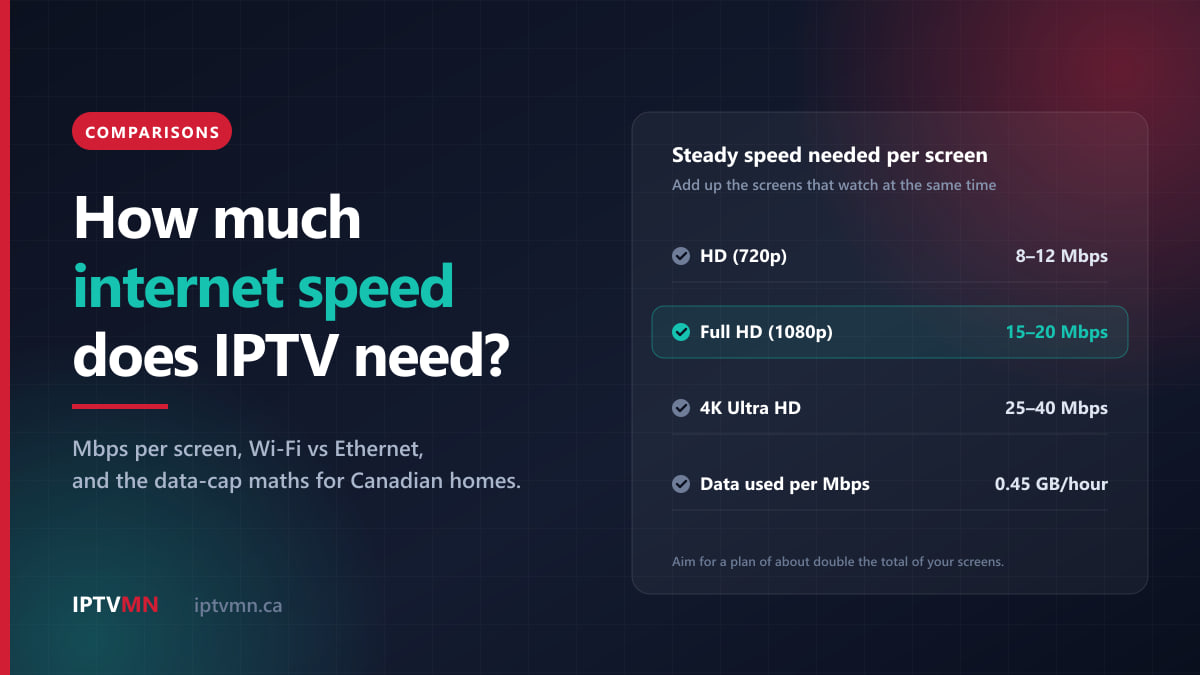
Add the screens together. Each one that plays needs its own share of your connection: roughly 8 to 12 Mbps for HD, 15 to 20 Mbps for Full HD and 25 to 40 Mbps for 4K. Three televisions in Full HD need 45 to 60 Mbps, held steadily through the evening. Aim for a plan of about double that total, so that phones, video calls and game downloads have room too. For three Full HD screens that means about 120 Mbps. Our guide to how much internet speed IPTV needs works through the full maths, plan tier by plan tier.
Most Canadian internet plans in towns and cities clear those numbers easily. What usually fails is the Wi-Fi path to the extra televisions, which tend to sit in the basement or at the far end of the house, floors and walls away from the router.
Fixes for the far TVs, from the most reliable down:
- An Ethernet cable, wherever you can run one. Most smart TVs and boxes have a port, and Amazon sells an Ethernet adapter for its Fire TV sticks.
- MoCA adapters over existing coax. If you are leaving cable TV, your house probably has coaxial cable in several rooms. MoCA adapters carry your home network over it, which gives the basement something close to a wired connection.
- Powerline adapters, which use the electrical wiring. Results depend on the house.
- A mesh Wi-Fi node placed between the router and the far TV, with the TV on the 5 GHz band rather than 2.4 GHz.
When one TV stutters while the others play perfectly, the cause is almost always that TV’s link to the router, not the service or the plan. The buffering fixes guide goes through the checks in order.
Data caps multiply with every screen
On an unlimited plan, skip this part. On a capped rural or budget plan, extra screens are where the data goes. Each Mbps of streaming uses about 0.45 GB an hour, so one Full HD screen uses roughly 6.8 to 9 GB an hour, and three of them through a three-hour evening use around 60 to 80 GB.
Turn streams off when nobody is watching, save 4K for programmes actually made in 4K, and if your connection is capped, ask live support for a lighter stream, which IPTV MN can set up.
Everyday habits that keep every TV working
A few habits prevent most of the trouble that multi-TV homes run into.
Leave the channel before switching the TV off. A streaming stick does not always stop when the television does. If the TV remote turns off only the screen, the stick may carry on playing the channel to a dark room, holding a connection and using data. Press Home or Back to leave the channel first. On a Fire TV Stick, the HDMI CEC Device Control setting (Settings, then Display & Sounds) lets the stick and the TV communicate over HDMI, which can help the two switch off together.
Agree who gets priority on the big nights. On a two-connection plan, a playoff game and a film in the bedroom fill the plan. Settle who goes first before overtime, not during it.
Lock what the children should not see. Many player apps, including IPTV Smarters Pro, let you lock whole categories behind a PIN. The lock is set on each device separately, so do it on the playroom TV and any tablet the children use, not only on the main set.
Keep the backup server handy. Every subscription includes a free backup server address. Save it in the app on each TV, or keep the welcome email where everyone can find it, so a problem on one route does not stop the whole house.
Keep the login inside your household. Under the terms and conditions, your credentials are personal to your household, and sharing them outside it leads to suspension without a refund. Relatives in another city need their own subscription. If you want to sell subscriptions to other people, the reseller programme exists for exactly that.
Five Canadian homes, five answers
These are typical situations rather than individual customers, but each comes up often.
A retired couple in Winnipeg. One living-room TV and a tablet in the kitchen. They watch together almost every evening, and the tablet only comes out when the TV is off. Answer: one connection, $77 for the year. If one of them starts watching the news on the tablet during the game, two connections at renewal fixes it. See IPTV in Winnipeg.
A family of four in Saskatoon. The living-room TV has hockey on Saturday nights, the basement TV has a kids’ channel such as YTV or Treehouse, and one parent watches a show on a tablet in bed. Answer: three connections, $178 for the year or $68 for three months, with a MoCA adapter on the old coax if the basement TV drops out on Wi-Fi. See IPTV in Saskatoon.
A multigenerational home in Mississauga. The grandparents watch Zee TV and Star Plus in their room, the parents watch CP24 or the Raptors in the living room, and the children have cartoons in the basement. Three screens are on at once most evenings. Answer: three connections. Every one of those channels is in the same subscription, so there is no separate international package to buy. The channels list shows the full lineup. See IPTV in Mississauga.
A francophone couple in Quebec City. Hockey in French on RDS in the living room, while the other watches TVA on the kitchen TV, a smart set with its own app. Answer: two connections. A single month at $27 is a sensible way to confirm it; the year at $127 is the better rate once they are sure. See IPTV in Quebec City.
A Vancouver house with a rented basement suite. Upstairs, a family with two TVs; downstairs, a tenant with one. Answer: a two-connection plan for the family, and a subscription of the tenant’s own. The tenant is a separate household, so giving them one of your connections is not permitted. A one-connection plan of their own costs $77 for a year or $17 for a month. See IPTV in Vancouver.
When one plan across the house is not the answer
An honest guide should say when this does not work.
- Your internet cannot carry the screens together. If the steady speed at the far TV is below about 15 Mbps in the evening, even after a cable or a mesh node, a second screen will struggle, and so will the first whenever both play.
- You are on a tight data cap. Two or three screens multiply the usage. On a 150 to 200 GB plan, regular multi-screen viewing will not fit.
- You play four or more screens every evening. It works, but only with two subscriptions, and at that point it is worth checking the total against what you pay now.
- You want to cover family in another home. One plan covers one household. The other home needs its own plan.
- Every TV must keep working during an internet outage. IPTV stops when the internet does, on every screen at once. Only satellite keeps working without broadband.
If none of these applies, one plan across the house is usually the simplest and cheapest setup. The page on the best IPTV in Canada sets out the standard to hold any provider to first.
How do I test several TVs before paying?
Testing in the busiest hour, on the televisions you actually use, settles the question:
- Request the free trial. It lasts 24 hours and no card is needed. Ask through the free trial page, say how many TVs you want to test, and ask whether the trial can play on two screens at once. If it cannot, test each TV in turn.
- Install the trial login on every TV you plan to use, starting with the one furthest from the router.
- Watch live sport on the far TV at around 8 pm. It is the hardest test for that room’s connection.
- Count your screens for real over that evening, using the method above.
- Pick the plan with that many connections. Pay by Interac e-Transfer and your login arrives by email, usually within ten minutes.
If something does not work after you buy and support cannot fix it on your setup, the seven-day refund policy applies. An internet connection that is simply too slow does not qualify, which is one more reason to test the far TV first.
Frequently asked questions
Can I use one IPTV subscription on multiple TVs?
Yes. You can install the app on as many televisions and devices as you like and sign in on each with the same login. The number of connections on your plan sets how many of them can play at the same time: one, two or three.
Do two TVs watching the same channel use one connection or two?
Two. Each screen that plays receives its own stream from the server, even when both show the same game. The only setup where two TVs share a connection is an HDMI splitter from one device, and then both screens always show the same picture.
Does watching on my phone count as a connection?
Yes, while it is playing. A phone, tablet or laptop counts exactly like a television, whether it is at home, at the cottage or abroad. On a one-connection plan, the phone and the living-room TV cannot play at the same time.
What happens if more TVs play than my plan allows?
The extra screen will not play, and many apps show a message about too many connections. Nothing extra is charged. Stop playback on another screen, wait a moment and try again, or choose a plan with more connections at your next renewal.
Is the three-connection plan worth it for a family?
It is if three screens regularly play at once. The 12-month three-connection plan costs $178, which works out to $59.33 per screen for the year, the lowest per-screen rate on the price list. If the third screen only plays a few times a year, two connections at $127 for the year is the better buy.
Do I need a separate device for every TV?
Only for televisions that cannot run a player app themselves. Recent Samsung, LG, VIDAA and Google TV sets install the app directly, while older or non-smart TVs need a stick or a box. You can mix devices freely, because every TV signs in with the same login.
One login, the right number of connections
Watching IPTV on several TVs at home is simpler than cable ever made it: one login on every screen, no receiver per room and no technician visit. The two decisions that matter are the number of connections, which should match the most screens your household plays at the same moment, and the network path to the televisions furthest from the router.
Count your busiest evening, test the far TV during the free trial, and when you are ready, compare the plans by connection count on the pricing page. If anything is unclear along the way, live chat is open around the clock.
Written by the IPTV MN team
We run the servers in Toronto and Montreal and answer the support messages. Everything here comes from what we see on the network and what Canadian members actually ask us. Something unclear or out of date? Tell us and we will fix it.
Keep reading
Comparisons 17 min read
The Best IPTV Player Apps Compared: Which One Suits Your Device in 2026
The best IPTV player app depends on your device. We compare TiviMate, IPTV Smarters, IBO Player and others on guide, catch-up, multi-view and cost.
Read the guide
Comparisons 17 min read
Fire TV Stick vs Android Box vs Smart TV: The Best Device for IPTV in Canada (2026)
The best device for IPTV in Canada depends on your TV. We compare Fire TV Stick, Google TV, Apple TV, boxes and smart TV apps, and the 2026 models to avoid.
Read the guide
Comparisons 17 min read
How Much Internet Speed Does IPTV Need in Canada? A Practical 2026 Guide
How much internet speed IPTV needs in Canada: Mbps per screen for HD, Full HD and 4K, Wi-Fi vs Ethernet, and the data-cap maths to do before you pay.
Read the guide