Comparisons
How Much Internet Speed Does IPTV Need in Canada? A Practical 2026 Guide
How much internet speed IPTV needs in Canada: Mbps per screen for HD, Full HD and 4K, Wi-Fi vs Ethernet, and the data-cap maths to do before you pay.
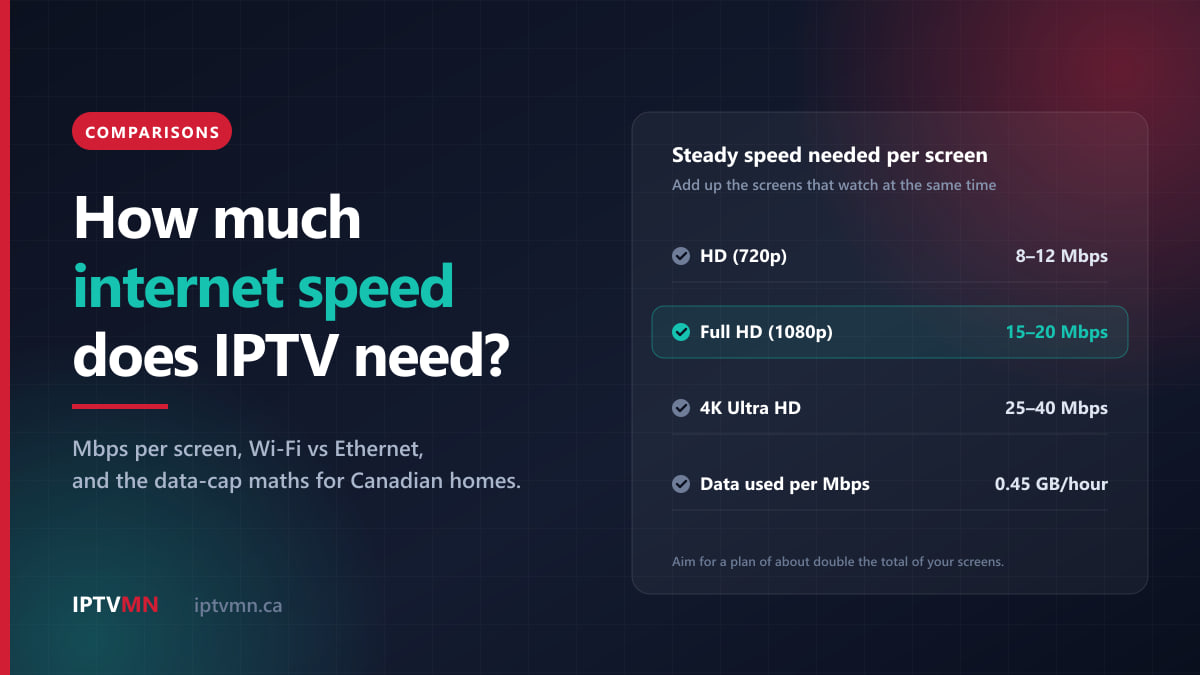
IPTV needs a steady internet speed of about 8 to 12 Mbps per screen for HD, 15 to 20 Mbps for Full HD and 25 to 40 Mbps for 4K. If two or three televisions watch at the same time, add the figures together. Below roughly 15 Mbps of steady speed, live television struggles on any service, not only ours.
Most Canadian home internet plans clear those numbers many times over, so the plan you pay for is rarely the problem. What usually decides whether IPTV plays smoothly is the stretch between your router and your television, and on some rural plans the monthly data cap. This guide covers all three, with the maths laid out so you can check your own home before spending anything.
The short answer
- One screen: 8–12 Mbps for HD, 15–20 Mbps for Full HD, 25–40 Mbps for 4K, held steadily.
- Several screens: add the screens together. Two Full HD screens need 30 to 40 Mbps, not 20.
- Your plan: aim for roughly double the total of the screens that watch at once. That leaves room for phones, video calls and updates. A 25 Mbps plan handles one HD screen; 50 Mbps is comfortable for one 4K screen.
- Steadiness beats peak speed. A connection that holds 30 Mbps all evening beats one that bursts to 300 and drops out.
- Ethernet beats Wi-Fi. A cable from the router to the main television fixes more problems than any plan upgrade.
- Data: each Mbps of streaming uses about 0.45 GB an hour. HD at 10 Mbps is about 4.5 GB an hour.
- Upload speed and ping barely matter. IPTV is almost entirely a download.
How much internet speed does IPTV need per screen?
IPTV is television delivered as a stream of data over your internet connection, so every screen that is watching draws its own stream. The what is IPTV page explains the chain from the data centre to your app. The speed each stream needs depends mainly on the picture quality:
| Picture | What it is used for | Steady speed per screen | Data per hour |
|---|---|---|---|
| HD (720p) | News, older channels, phones and tablets | 8–12 Mbps | 3.6–5.4 GB |
| Full HD (1080p) | Most live channels and most live sport | 15–20 Mbps | 6.8–9 GB |
| 4K Ultra HD | Selected live events and much of the on-demand library | 25–40 Mbps | 11–18 GB |
The word that matters in that table is steady. A speed test measures your connection for a few seconds. Live television needs the speed held for three hours, through every peak in your household’s use and your neighbourhood’s.
Be realistic about 4K, too. Most live television around the world is still broadcast in HD or Full HD, and no service can turn a 1080p broadcast into a true 4K one. For everyday viewing, budget for Full HD. Budget for 4K only if you plan to watch the events and films that are actually produced in 4K. The channels list shows what is in the lineup, so you can see what you would really be watching.
Why live TV needs more than Netflix suggests
Netflix recommends 15 Mbps or more for 4K, which looks low next to 25 to 40 Mbps. Both figures are honest. They describe different kinds of video.
An on-demand film is encoded in advance, with plenty of time to squeeze every scene as small as possible. The app also downloads several minutes ahead of what you are watching, so a brief dip in speed goes unnoticed. A live channel is encoded in real time and played only a few seconds behind the broadcast, so there is almost no buffer to hide a dip. Live sport adds fast motion and, on many channels, a higher frame rate, which needs more data again.
That is why the IPTV figures include headroom. They describe the speed that keeps a live game smooth on an ordinary Canadian evening, not the least a stream can survive on.
How much speed do I need for two or three TVs?
Add up the screens that watch at the same time, not the number of televisions in the house. A family with four TVs that rarely uses more than two at once is a two-screen household.
On an IPTV plan, a connection means one screen watching at a time. You can install the app on as many devices as you like, but a one-connection plan plays on one screen at once. IPTV MN sells plans with one, two or three connections:
| Plan | Full HD on every screen | 4K on every screen | Plan speed to aim for (Full HD) | 12 months |
|---|---|---|---|---|
| 1 connection | 15–20 Mbps | 25–40 Mbps | about 40 Mbps | $77 |
| 2 connections | 30–40 Mbps | 50–80 Mbps | about 80 Mbps | $127 |
| 3 connections | 45–60 Mbps | 75–120 Mbps | about 120 Mbps | $178 |
The last speed column applies the doubling rule from the short answer. Doubling sounds generous, but the household keeps using the internet while the television is on. A phone backs up its photos, a laptop joins a video call, and a games console starts a large download that will take every spare megabit it can find. The spare half absorbs all of that, along with the evening slowdown some networks see.
Shorter plans and one-month options for each connection count are on the pricing page. Choose the connection count from how many people really watch at once, then check the speed against this table.
Is my Canadian internet plan fast enough?
Almost certainly, if you live in a town or city. Canadian carriers sell home internet in speed tiers. Entry plans from the large carriers typically start somewhere around 50 to 150 Mbps, mid tiers sit in the hundreds, and fibre plans now reach one gigabit per second and well beyond. Even the entry tier of a major carrier covers a two-screen Full HD household with the doubling rule applied.
| Plan speed | What it handles comfortably, with headroom |
|---|---|
| 25 Mbps | One HD screen, with little else happening at the same time |
| 50 Mbps | One 4K screen, or one Full HD and one HD screen |
| 100 Mbps | Two Full HD screens, or one 4K and one Full HD screen |
| 300 Mbps | Three 4K screens, with room left for the rest of the house |
| 1 Gbps or more | Anything IPTV can ask for; any limit is now inside your home |
The national floor is useful context. The CRTC’s target is for every Canadian home to have access to at least 50 Mbps download and 10 Mbps upload, with an unlimited data option, and it funds rural projects through its Broadband Fund to get there. By the CRTC’s own figures, a little over nine in ten households already have that option, but rural coverage lags well behind. If you are one of the households still waiting, the sections on data caps and on testing below matter most to you. The coverage page explains how the service reaches every province and territory.
Upload speed and ping
Two numbers on a speed test matter far less than people expect.
- Upload speed. IPTV sends almost nothing upstream: small requests for the next piece of video and for the programme guide. Cable internet plans often upload far more slowly than they download, and it makes no difference to IPTV. The CRTC’s 10 Mbps upload target is many times more than a stream needs.
- Ping (latency). This affects how quickly a channel starts, not whether it plays smoothly once it has. IPTV MN streams from data centres in Toronto and Montreal, so the path from most Canadian homes is short and a channel opens in about two tenths of a second.
If you are dropping cable TV
One practical warning. If your internet is part of a TV bundle, cancelling the TV can change the price of the internet. Ask your provider for the internet-only price before you cancel, and do not upgrade your speed tier until you have tested IPTV on the plan you already have. The breakdown of a real Canadian cable bill shows where the money in a bundle actually goes.
Why does IPTV buffer when my speed test looks fine?
Because the speed test probably measured the wrong thing. The speed on your bill is delivered to your router. What reaches the television can be a small fraction of it, and that is the number that decides whether a stream holds.
The usual culprits, roughly in order:
- Wi-Fi distance and walls. Every wall, floor and appliance between the router and the TV costs speed. Concrete is the worst, which is why condo towers are a common source of complaints.
- The wrong Wi-Fi band. Most routers broadcast on 2.4 GHz and 5 GHz. The 2.4 GHz band reaches further but is slower and crowded by every neighbour’s network. A streaming device should be on 5 GHz if it can reach it.
- Everything else in the house. A console download, a cloud backup or two video calls can take more than the television in the time it takes to score a goal.
- Evening congestion. On some cable, fixed-wireless and satellite networks, capacity is shared across a neighbourhood. Speeds can dip between about 7 pm and 11 pm, which is exactly when the big games are on.
- A VPN. Routing a Canadian stream through a VPN server elsewhere adds distance and often a busy server in the middle. Our guide on whether you need a VPN for IPTV in Canada covers this in detail.
Test on the device you watch on
Run the speed test on the television or streaming box itself, at the time you normally watch. A phone held next to the router tells you about the router, not about the TV in the basement.
- If the TV or box has a web browser, open the CIRA Internet Performance Test. It is run by the Canadian Internet Registration Authority, takes under a minute, and reports jitter and packet loss as well as speed.
- If Netflix is installed on the TV, its Get Help → Check your Network option gives a speed reading on the television itself.
- If neither is possible, plug a laptop in where the TV sits, or stand there with it on Wi-Fi, and test from that spot.
Run the test twice: once in the afternoon and once around 8 pm. If the evening number is much lower, the problem is congestion or household use rather than Wi-Fi.
Jitter and packet loss
The CIRA test reports two numbers most speed tests leave out. Jitter measures how much the delay varies from moment to moment. Packet loss measures how much data has to be sent again. Either can make a fast connection stutter, because each time data is lost or delayed, the player has to wait for it. Jitter of a few milliseconds and no packet loss are what you want. Persistent packet loss is a fault worth reporting to your internet provider, because no streaming service can work around it.
When the stutter is not about speed at all, the buffering fixes guide works through decoder settings, app caches, DNS and the backup server in order of what helps most often.
Wi-Fi or Ethernet: which connection should the TV use?
Use a cable wherever you can. It is the single most effective change in this whole guide, because it removes distance, walls, neighbours’ networks and the 2.4 GHz problem at once.
| Connection | How steady | Best for | Watch out for |
|---|---|---|---|
| Ethernet cable | Very steady | The main TV, near or reachable from the router | Running a long cable neatly |
| MoCA adapters over coax | Very steady | Homes already wired with cable-TV coax in each room | Needs an adapter at both ends |
| Powerline adapters | Usually steady | Rooms far from the router with no coax | Results depend on the home’s wiring |
| Mesh Wi-Fi on 5 GHz | Good | Larger homes and condos where cables are impractical | Each extra hop costs some speed |
| Wi-Fi on 5 GHz, one router | Fair to good | A TV in the same room or the next one | Walls and floors cut it quickly |
| Wi-Fi on 2.4 GHz | Unpredictable | A last resort | Crowded, slower, worst in apartment buildings |
MoCA deserves a mention because so many Canadian homes have coaxial cable in the walls from years of cable TV. Adapters send your home network over that coax, and it gives you something close to a wired connection in rooms the router’s Wi-Fi barely reaches.
Which devices have an Ethernet port?
- Smart TVs. Most Samsung, LG and Android TV or Google TV televisions have an Ethernet port on the back. On many sets it tops out at 100 Mbps, which is still more than double what a 4K stream needs. The setup guides for Samsung smart TVs and LG smart TVs cover the app side, and our guide to IPTV on a smart TV without a box explains when a separate device is worth buying.
- Set-top boxes. Boxes such as the NVIDIA Shield and Formuler models plug straight into a cable.
- Streaming sticks. The Fire TV Stick has no Ethernet port, but Amazon sells an Ethernet adapter for its Fire TV sticks. If the stick is your only device and Wi-Fi is weak, the adapter is a small purchase that solves a large problem. The Fire TV Stick guide covers the setup.
If you are not sure what your device supports, the installation guides list every device the service runs on.
How much data does IPTV use?
Here is the conversion that does all the work: Mbps × 0.45 = GB per hour.
The arithmetic behind it is simple. One Mbps is one million bits every second. An hour has 3,600 seconds, so one Mbps for an hour is 3,600 million bits. At eight bits to a byte that is 450 million bytes, or 0.45 GB.
| Picture | Speed budget | Data per hour | 3 hours a day for 30 days |
|---|---|---|---|
| HD (720p) | 8–12 Mbps | 3.6–5.4 GB | about 324–486 GB |
| Full HD (1080p) | 15–20 Mbps | 6.8–9 GB | about 610–810 GB |
| 4K Ultra HD | 25–40 Mbps | 11–18 GB | about 1,010–1,620 GB |
Treat these as upper estimates. The speed budgets include headroom, and a stream rarely runs at the top of its budget for hours at a stretch, so real use is often lower. Ranges this wide are still the honest way to plan.
Most Canadian home internet plans are unlimited, and if yours is, this section does not concern you. Data caps survive mainly on some rural, fixed-wireless, satellite and budget plans, and on mobile hotspots, where IPTV is rarely practical as an everyday connection.
If you do have a cap, three things help:
- Turn the stream off when nobody is watching. A channel left playing on an empty room uses exactly as much data as one being watched.
- Save 4K for what is filmed in 4K. An evening of 4K uses roughly twice the data of Full HD.
- Ask for a lighter stream. If your connection is slow or capped, tell live support and IPTV MN can set you to a lower bitrate stream that still looks good on a normal television.
Four Canadian homes, four different answers
These are typical situations rather than individual customers, but each of them comes up often.
A condo in downtown Toronto on a gigabit fibre plan. The living-room TV is wired and perfect. The bedroom Fire TV Stick sits two concrete walls from the router on 2.4 GHz Wi-Fi, and a test on the stick at 8 pm comes back at around 12 Mbps. That is below the 15 to 20 Mbps a Full HD game needs, on a plan that is more than fifty times faster. Moving the stick to 5 GHz with a mesh node in the hallway fixes it, as would an Ethernet adapter if a cable can reach. The plan was never the problem. See IPTV in Toronto.
A family of five in Calgary on a 500 Mbps plan. On a Saturday night, one TV has hockey in Full HD, the basement has a kids’ channel in HD and a bedroom has a 4K film. That is 48 to 72 Mbps at once, so the doubling rule points to a plan of roughly 100 to 150 Mbps, and they have far more. They need the three-connection plan, $178 for twelve months or $68 for three, and a powerline adapter for the basement TV, which was dropping out on Wi-Fi. See IPTV in Calgary.
A farm outside Regina on 25 Mbps fixed wireless with a 400 GB cap. The speed handles one HD screen comfortably and one Full HD screen with little to spare. The cap is the real limit: three hours a day of Full HD would use roughly 610 to 810 GB a month, which is not going to fit. In HD at the low end of the range it comes to around 324 GB, which fits but leaves little for everything else. This home should take the trial first, ask live support for a lighter stream, and watch the usage meter for a week. See IPTV in Regina.
A shared student house in Halifax on a 150 Mbps plan. Five housemates, one TV and a lot of evening downloads. The plan comfortably supports one Full HD stream. The stutters come from a housemate’s console updates and from the TV sitting on Wi-Fi at the far end of the house. An Ethernet cable and a router setting that gives the TV priority fix it. With exams and playoffs coming and going, a $17 month bought when it is wanted suits them better than a year. See IPTV in Halifax.
How do I test my connection before paying?
The only test that settles it is live television on your own connection, on your own TV, at the busiest time of the evening. This takes about an hour:
- Run a speed test on the TV or box using one of the methods above, once in the afternoon and once at 8 pm. Write down both numbers.
- Request a 24-hour free trial. No card is needed. Ask through the free trial page or live chat, and mention your speed test result. If it is too slow, you will be told so before you spend anything.
- Install the app on the TV you watch most, using the setup guide for your device.
- Watch a live game for an hour around 8 pm. Sport is the hardest test, because the motion is fast and the buffer is short. Change channels a few times and see how quickly each one starts.
- Try the backup server. A second server address comes with every subscription. Knowing how to switch to it takes thirty seconds now and saves the end of a game later. The IPTV subscription page lists everything included in the welcome email.
- Pick the plan that matches how many screens actually watch at once.
Testing first matters for a specific reason. The seven-day refund policy covers a service that does not work properly on your setup after support has tried to fix it, but an internet connection that is simply too slow is listed as a case that does not qualify. The trial is how you find out without risking anything.
When your connection is not enough
An honest guide has to say when the answer is no. IPTV is probably not right for your home yet if:
- Your steady speed at the TV is below about 15 Mbps in the evening, even after moving to Ethernet or 5 GHz. That is the point below which no streaming service works well.
- Your connection drops out regularly. If video calls freeze several times an evening, live TV will too. Satellite television, which does not depend on broadband, may still suit you better.
- You have a tight data cap and watch a lot. On a 150 to 200 GB plan, a few hours of TV a day will not fit, even in HD.
- Your only connection is a mobile hotspot. It can carry the odd game on a phone, but mobile data costs make it unsuitable as the main way to watch.
If your connection clears these hurdles, the remaining question is which provider to trust with it. The page on the best IPTV in Canada sets out the standard to hold any service to, including this one: Canadian servers, every regional feed, a correct programme guide and a real support channel.
Frequently asked questions
Is 10 Mbps enough for IPTV?
For one screen in HD, usually yes, provided the 10 Mbps holds steady and nothing else in the house is using the connection. It is not enough for Full HD sport or 4K, and it leaves no room for a second screen. If 10 Mbps is your plan’s full speed rather than what reaches the TV, test on the trial before paying.
Is 100 Mbps enough for IPTV on several TVs?
Yes, for most households. A 100 Mbps plan comfortably carries two Full HD screens, or one 4K and one Full HD screen, with room left for phones and laptops. Three screens in Full HD will work too, with less headroom at busy times.
Does IPTV need a fast upload speed?
No. IPTV is almost entirely a download, and it only sends small requests upstream for the next piece of video and the programme guide. Any home internet plan’s upload speed, even on cable plans with slow uploads, is more than enough.
Is Wi-Fi good enough for IPTV, or do I need Ethernet?
Wi-Fi on the 5 GHz band works well for a TV near the router. Ethernet is better wherever you can run it, because it removes walls, distance and interference from neighbours’ networks. For rooms a cable cannot reach, MoCA adapters over existing coax, powerline adapters or a mesh Wi-Fi node are the next best options.
How many GB does IPTV use per hour?
Multiply the stream’s speed in Mbps by 0.45 to get GB per hour. HD at 8 to 12 Mbps uses about 3.6 to 5.4 GB an hour, Full HD about 6.8 to 9 GB and 4K about 11 to 18 GB. These are upper estimates, and real use is often a little lower.
Will a faster internet plan stop buffering?
Usually not. Most buffering comes from Wi-Fi, other devices in the house or evening congestion, and a faster plan changes none of those. Test the speed on the TV itself first; if it is far below your plan’s speed, fix the home network before paying for a bigger plan.
Check the number that reaches your TV
For almost every Canadian home in a town or city, the internet plan is already fast enough for IPTV. Budget 8 to 12 Mbps per screen for HD, 15 to 20 for Full HD and 25 to 40 for 4K. Add the screens that watch together, and keep roughly double that total on your plan. What decides the result is the speed that actually arrives at the television, how steady it is at 8 pm, and, on some rural plans, the monthly cap.
The calm way to find out is to measure it. Run a speed test on the TV, take the free trial during a live game, and if it holds up, compare the plans and prices by how many screens your household really uses at once. If anything is unclear along the way, live chat is open around the clock.
Written by the IPTV MN team
We run the servers in Toronto and Montreal and answer the support messages. Everything here comes from what we see on the network and what Canadian members actually ask us. Something unclear or out of date? Tell us and we will fix it.
Keep reading
Comparisons 14 min read
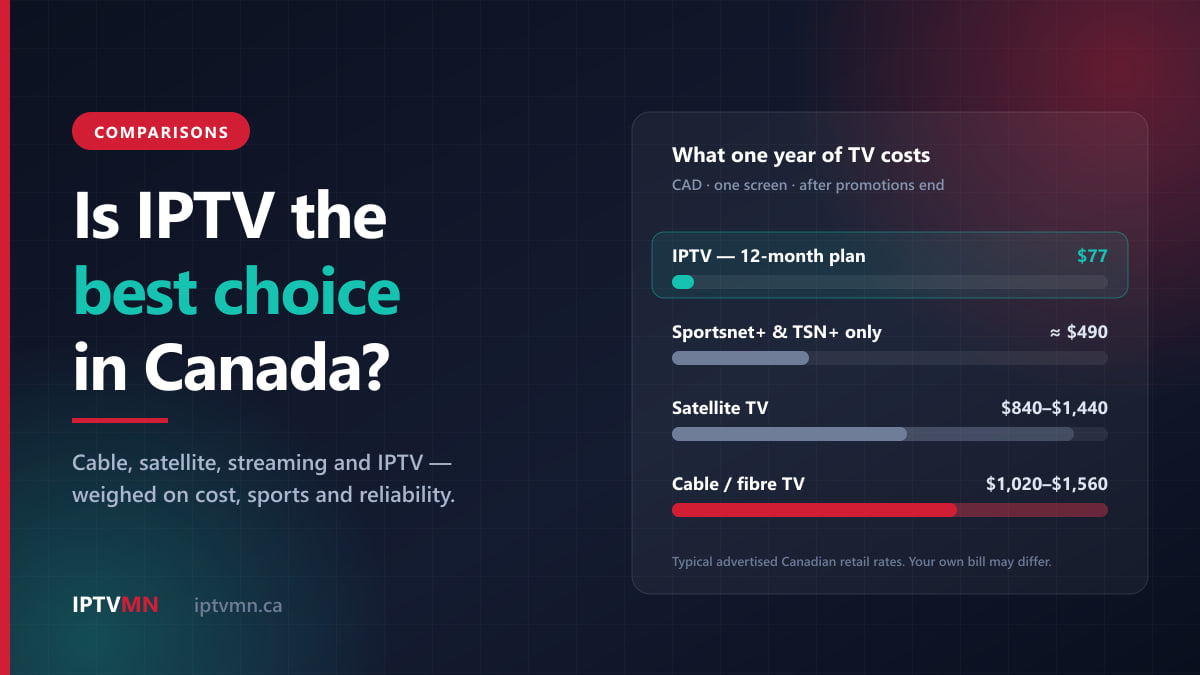
Is IPTV the Best Choice in Canada? An Honest Verdict for 2026
Is IPTV the best way to watch TV in Canada? We weigh it against cable, satellite and streaming apps on cost, sports, quality and reliability.
Read the guide
Comparisons 7 min read
IPTV vs Cable in Canada: What You Really Pay Over One Year
A line-by-line comparison of a Canadian cable bill against an IPTV subscription. Equipment rental, promo cliffs, sports add-ons and the real annual total.
Read the guide
Sports 17 min read
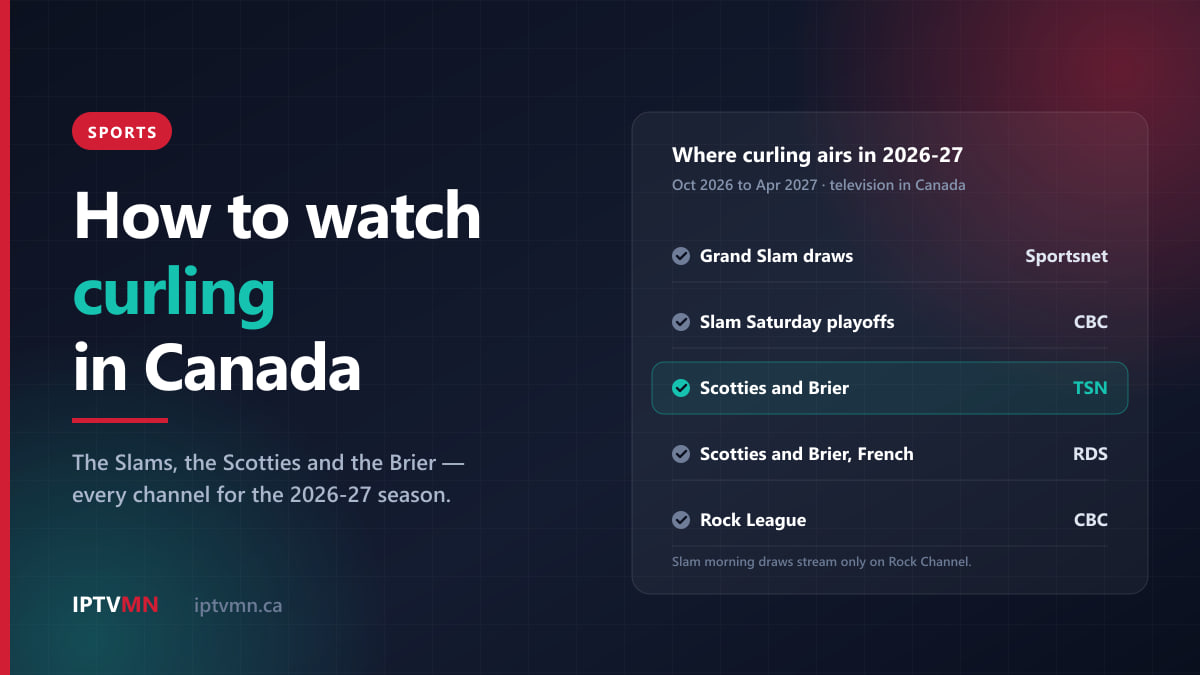
How to Watch Curling in Canada in 2026-27: The Slams, the Scotties and the Brier
How to watch curling in Canada in 2026-27: which channel has the Grand Slams, the Scotties and the Brier, the key dates, and what each way to watch costs.
Read the guide