Comparisons
How to Watch Canadian TV in Florida, Arizona and Abroad: A Snowbird Guide for Winter 2026-27
How to watch Canadian TV abroad this winter: why Canadian apps stop at the border, what works in Florida and Arizona, the Wi-Fi you need and game times.
To watch Canadian TV abroad, in Florida, Arizona, Mexico or anywhere else you spend the winter, you need a service that works on any internet connection. Your cable box stays at home, and Canadian apps such as CBC Gem, Crave, Sportsnet+ and TSN+ are built for viewing inside Canada. An IPTV subscription is different: the login works anywhere with internet, so your channels, your guide and your favourites come with you.
Whether it works well depends on three things you control: the Wi-Fi where you stay, the device you pack, and the clock on that device. This guide compares every option snowbirds actually use, then covers each of those three in turn, with local start times for this winter.
The short answer
- Your cable or satellite box does not travel. It is tied to your home address.
- Most Canadian streaming apps stop at the border. CBC Gem, Crave, Sportsnet+ and TSN+ restrict viewing to Canada because of licensing.
- An American cable package at the rental rarely carries Canadian channels, and never every regional sports feed.
- An IPTV login works anywhere with internet. IPTV MN carries CBC, CTV, Global, CP24, every TSN and Sportsnet feed, RDS and TVA Sports, and they play in Fort Myers exactly as they do in Ottawa.
- The Wi-Fi decides the picture. Full HD needs a steady 15 to 20 Mbps per screen. Test it at 8 pm, not at noon.
- Check the device’s time zone when you arrive. The guide shows times in whatever zone your device is set to.
Why don’t my Canadian TV apps work in Florida?
Because the rights to most Canadian programmes are sold for Canada only. A network that buys a show or a hockey season usually buys it for Canadian viewers, so its app checks where you are and stops playing live channels and much of the catalogue when it sees an American or Mexican connection.
In practice:
- CBC Gem is largely geofenced outside Canada. CBC does post some programmes, such as The National, on YouTube, where they can be watched from abroad.
- Crave limits its service to viewers in Canada.
- Sportsnet+ and TSN+ are sold to Canadian residents and are built for viewing in Canada.
- Your cable or fibre TV box only works on the provider’s network at your home address.
Some people try a VPN to make those apps think they are still in Canada. Streaming services work hard to block VPN addresses, and some forbid it in their terms. TSN’s, for one, say an account can be suspended for it. It is an unreliable plan for a whole winter.
The American TV at your rental has the opposite problem. A condo’s cable package in Florida or Arizona carries American channels. You may find a Canadian team’s game on an American network now and then, but not your local news, not CP24 and not the regional feeds.
Ways to watch Canadian TV abroad, compared
| Option | Canadian live channels away from home | Canadian sports feeds | The catch |
|---|---|---|---|
| Cable or satellite box | No, it stays at your address | Only at home | You pay all winter for a service you cannot use |
| Canadian streaming apps | Mostly blocked outside Canada | Sportsnet+ and TSN+ are Canada-only | Little beyond a few CBC programmes on YouTube |
| US cable at the rental | Rarely | Rarely | American channels and American broadcasts |
| A VPN with Canadian apps | Unreliable | Unreliable | Often blocked, and against some apps’ terms |
| IPTV subscription | Yes, same login anywhere | All TSN and Sportsnet feeds, RDS, TVA Sports | Only as good as the Wi-Fi where you stay |
That last row is the reason most Canadians who winter away end up with IPTV. Every option above it fails on location. IPTV only fails on connection quality, and you can check connection quality before you pay anything.
How does IPTV work outside Canada?
IPTV sends live television over an ordinary internet connection to an app on your TV, streaming stick, tablet or phone. IPTV MN’s servers sit in Toronto and Montreal, and the stream reaches you over the public internet wherever you happen to be. There is no box tied to an address and no location check on the login.
A few things are worth knowing before you go:
- The channels are the same. CBC Ottawa, CTV Toronto, Global BC, CP24, CBC News Network, ICI Radio-Canada, TVA, LCN and RDI all appear in the same groups as at home. The channels list shows the Canadian lineup by group, so check that yours are there before you leave.
- Distance is rarely the problem. In a straight line, Fort Myers and Phoenix are both closer to Toronto than Vancouver is. From Portugal or Spain the stream crosses the Atlantic, so a channel can take a moment longer to open, but once it is playing it behaves normally on a good connection.
- A connection is a screen, wherever it is. One connection means one screen playing at a time, whether that screen is in Ottawa or in Sarasota. If someone in your household is watching at home while you watch in Florida, that is two connections. You can install the app on as many devices as you like; the limit is how many play at once.
- Renewing works from anywhere. Payment is by Interac e-Transfer from your Canadian bank’s app, in Canadian dollars with no foreign exchange fee, so renewing from a condo in Tampa is the same as renewing from your kitchen, provided your bank’s app works where you are. Your login arrives by email, usually within ten minutes.
- Nothing renews automatically. A plan runs for the period you bought and stops. No charge lands on your account while you are away.
Every subscription also includes a backup server address in the welcome email, as the IPTV subscription page sets out. Save it on your phone before you leave. If one route struggles on a rental’s connection, switching takes about thirty seconds.
What should I pack to watch Canadian TV abroad?
Bring your own streaming device rather than relying on the rental’s television. Your favourites, settings and login travel with it, and nothing of yours is left on someone else’s TV when you go home.
A streaming stick or box that can run the player. The Fire TV Stick 4K Max is the simplest travel choice, and the Fire TV Stick setup guide takes about five minutes. Be careful if you buy a new stick: Amazon’s newer Vega OS models cannot install the player apps, so check the model first. Our comparison of the best device for IPTV lists which models work. An Android TV box is a good alternative, especially in a long-stay rental where you can plug it in by cable.
Its own power adapter. A television’s USB port often does not supply enough power for a 4K stick, which shows up as random restarts. Use the wall adapter.
The remote, with spare batteries. If it goes missing, the free Fire TV app on your phone works as a remote on the same Wi-Fi.
An Ethernet adapter and a two-metre cable. Many rentals have the router in the living room. A cable from router to stick removes Wi-Fi from the equation, and on a busy building network that makes the biggest single difference.
Optional: a small travel router. It connects once to the hotel or park network and shares it with your devices. It helps where the TV device cannot open a sign-in page.
No plug adapter for the United States or Mexico. Both use the same plug shape as Canada. Europe needs adapters.
If the rental’s television is a recent Samsung or LG, you can install a player directly on it instead. It works, but sign out and remove your login before you leave.
Will the condo, RV park or hotel Wi-Fi be fast enough?
This is the question that decides your winter. The figures are the same as at home:
| Picture | Steady speed per screen | Data per hour |
|---|---|---|
| HD (720p) | 8–12 Mbps | About 3.6–5.4 GB |
| Full HD (1080p) | 15–20 Mbps | About 6.8–9 GB |
| 4K | 25–40 Mbps | About 11–18 GB |
Two screens watching at once need the two numbers added together. Our guide to how much internet speed IPTV needs covers the Wi-Fi side in detail. What changes on a winter rental is that you do not control the network.
Condos and rental communities. Some buildings run one network for everyone. It can be fast at noon and crowded at 8 pm, when every unit is streaming. Ask the owner what speed the unit gets, and whether the router is in the unit. If it is, plug in by cable.
RV parks and campgrounds. Park Wi-Fi is usually shared by the whole park from a few access points, and evening speeds can be low. Many long-stay RVers bring their own connection instead. If yours is Starlink or another satellite or mobile plan, check its data allowance and its rules for use outside Canada before you cross the border.
Hotels. Many hotel networks ask you to accept terms on a web page before anything else works. A Fire TV Stick can usually open that page when you join the network. If your device cannot, use a travel router. A few hotel networks block video streaming outright. That is the one situation where a VPN set to a Canadian server genuinely helps, as our post on VPNs for IPTV explains. Otherwise, leave the VPN off.
A phone hotspot. It is fine for one game, not for the whole winter. A three-hour game in HD uses roughly 11 to 16 GB, so check your roaming or American plan’s data before you rely on it.
The 8 pm test. On your first evening, run a speed test on the TV device itself, not your phone, at around 8 pm local time. If it holds 15 Mbps or more, Full HD will play. If it holds 8 to 12, watch in HD and ask live support to set your line to a lighter stream, which still looks good on a normal television.
What time is the game in Florida or Arizona?
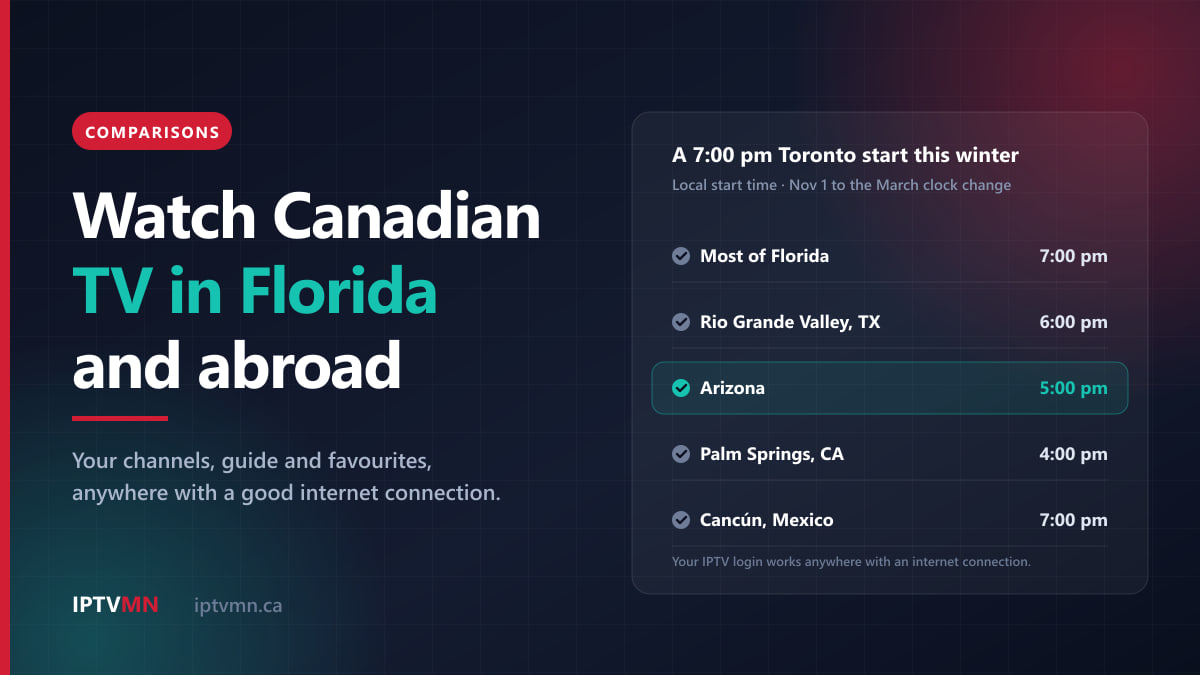
Most of the United States, Ontario, Quebec and Atlantic Canada fall back on Sunday, November 1, 2026. Arizona and Mexico do not change their clocks. That gives these gaps for the winter, from November 1 until the March clock change:
| Where you winter | Clock compared with Toronto | A 7:00 pm Toronto start | Gap after the March change |
|---|---|---|---|
| Most of Florida (Orlando, Tampa, Fort Myers) | Same | 7:00 pm | Unchanged |
| Florida Panhandle west of the Apalachicola River | 1 hour behind | 6:00 pm | Unchanged |
| Rio Grande Valley, Texas | 1 hour behind | 6:00 pm | Unchanged |
| Arizona (Phoenix, Mesa, Yuma) | 2 hours behind | 5:00 pm | 3 hours behind |
| Palm Springs, California | 3 hours behind | 4:00 pm | Unchanged |
| Cancún, Mexico | Same | 7:00 pm | 1 hour behind |
| Puerto Vallarta, Mexico | 1 hour behind | 6:00 pm | 2 hours behind |
Western Canadians have a new detail this year. British Columbia stopped changing its clocks and stays seven hours behind UTC, which is exactly Arizona’s time, so a Vancouver or Victoria clock now matches Phoenix all winter. Alberta has also stopped changing its clocks and stays six hours behind UTC, which leaves Calgary and Edmonton one hour ahead of Arizona all year.
Will the TV guide show the right times?
The programme guide carries the exact start time of every programme, and your player app displays it in the time zone set on your device. Set the device to where you are, and the guide is right. On a Fire TV Stick, the setting is under Settings, then Preferences, then Time Zone. If the guide still looks an hour out, our TV guide and catch-up guide explains the device-clock problems some older boxes have this year and how to fix them.
What if the game is in the middle of the night?
That is where catch-up earns its place. From Portugal or Spain, a 7:00 pm Toronto start lands around midnight or later. IPTV MN keeps several days of catch-up on most major channels, so you can scroll back in the guide the next morning and play the game from the start, as long as nobody tells you the score first.
Which plan suits a winter away?
Plans are paid up front for the period you choose, with one, two or three connections. The full grid is on the pricing page. For snowbirds, these are the combinations that usually fit:
| Your situation | Plan that fits | Price |
|---|---|---|
| A few weeks away, one TV | 1 month, 1 connection | $17 |
| Three months in Mexico or Florida | 3 months, 1 connection | $27 |
| November to April away, IPTV only while away | 6 months, 1 connection | $47 |
| IPTV at home and away, one screen at a time | 12 months, 1 connection | $77 |
| Two people watching different things, all year | 12 months, 2 connections | $127 |
The twelve-month plans make the most sense if you also watch at home in summer. Twelve months on one connection works out to $6.42 a month, against $7.83 a month for six. If you keep another TV service in Canada and only need channels while you are away, the six-month plan covers a typical November-to-April season without paying for months you do not use.
Before you leave: a ten-minute checklist
- Install and set up at home. Put the player on the device you are taking, sign in, and build a favourites list of the 15 or 20 channels you actually watch.
- Install system updates. Updated devices handle this year’s time-zone changes correctly.
- Save your login and backup server address in your phone’s notes, in case you need to reinstall.
- Note your expiry date. Nothing renews automatically, so put a reminder in your calendar a week before.
- On arrival, check the time zone on the device and open the guide.
- Run the 8 pm speed test on the first evening, on the TV device itself.
If you have not subscribed yet, there is a better order: ask for the 24-hour free trial after you arrive, so you test on the Wi-Fi you will actually be using all winter. No card is needed, and the refund policy gives seven days if a paid plan does not work on your setup and support cannot fix it. A connection that is simply too slow is not covered, which is exactly why testing on the rental’s Wi-Fi first matters.
Four snowbird households, four setups
These are typical situations rather than individual customers, but each comes up every autumn.
A retired couple from Ottawa in Fort Myers, November to April. They want CBC Ottawa news, every Senators game and the curling on weekends. Florida keeps Ottawa’s clock, so nothing shifts in the guide. They use the service at home in summer too, so they take one connection for twelve months at $77 and pack a Fire TV Stick 4K Max. See IPTV in Ottawa.
A Calgary couple in Mesa, Arizona. One watches the Flames, the other watches curling, often on the same evening. Arizona sits one hour behind Calgary all winter, so a 7:00 pm Calgary puck drop is 6:00 pm in Mesa. Their park home has its own router, so the main TV runs on a cable. Two connections for twelve months, $127. See IPTV in Calgary.
A Montreal retiree near Fort Lauderdale. French is non-negotiable: TVA, LCN, ICI Radio-Canada, and hockey in French. IPTV MN carries both RDS and TVA Sports, so French-language games are covered whichever network has them, and the clock matches Montreal’s. She already has TV at home, so six months on one connection at $47 covers the season. See IPTV in Montreal.
A Victoria retiree in an RV near Yuma. The campground Wi-Fi tests at 7 Mbps at 8 pm, which is not enough for Full HD. Live support sets a lighter stream, and the Canucks games play in HD on the RV’s TV. Yuma’s clock now matches Victoria’s, so game times are the same as at home. See IPTV in Victoria.
When is IPTV not the right answer abroad?
It is better to say this plainly than to have you find out in January.
- The only internet is weak park Wi-Fi or a capped hotspot. Below a steady 8 Mbps, even HD stutters, and daily viewing on mobile data gets expensive quickly.
- You only want a couple of CBC programmes. If The National is all you miss, CBC’s own YouTube uploads may be enough, and you need nothing else.
- You want a family member in another home to use your login while you are away. Under the terms, credentials belong to one household. Someone living elsewhere needs their own plan.
- You are somewhere with frequent internet outages. IPTV stops when the internet does, wherever you are.
Is it legal to watch Canadian TV from another country?
The technology itself is legal. It is the same internet delivery that Canadian carriers use for their own TV services. What matters is the licensing of the content, not the delivery method. IPTV MN supplies network access and reseller services and does not host, record or broadcast media. Subscribers are responsible for complying with the Copyright Act and the Broadcasting Act, and when you watch from another country, that country’s rules apply to you there as well. The full position is in our disclaimer.
Frequently asked questions
Can I watch Canadian TV in the US with IPTV MN?
Yes. The login works on any internet connection, in the United States, Mexico or anywhere else, with the same channels, guide and favourites as at home. One connection plays on one screen at a time, wherever that screen is.
Why does CBC Gem or Crave stop working when I travel?
Most Canadian programmes are licensed for viewing in Canada only, so those apps check your location and restrict live channels and much of their catalogue abroad. CBC posts a selection of programmes, such as The National, on YouTube, where they can be watched from outside Canada.
Do I need a VPN to watch Canadian TV abroad?
Not for IPTV MN. The service works on any connection without one, and a VPN usually adds delay. It helps in one situation: a hotel or park network that blocks streaming. In that case, choose a Canadian server.
What internet speed do I need at my winter rental?
A steady 15 to 20 Mbps per screen for Full HD, or 8 to 12 Mbps for HD. Test it on the TV device at around 8 pm, when shared building and park networks are at their busiest. Two screens watching at once need double.
Will the TV guide show the right times in Arizona?
Yes, once your device’s time zone is set to Arizona. The guide follows the device’s clock, so setting it correctly is all it takes. If you are from British Columbia, your home clock and Arizona’s now match all winter.
Can I use the same subscription in Canada and in Florida?
Yes, it is the same login in both places. With one connection, only one screen plays at a time, so if someone in your household stays at home and watches while you are in Florida, choose a two-connection plan.
Take your channels south this winter
For Canadians who winter in Florida, Arizona, Mexico or further afield, IPTV is the practical way to keep Canadian TV. Cable stays at home, the Canadian apps stop at the border, and American TV carries American channels. A login that works anywhere with internet brings your news, your teams and your favourites with you. Its one dependency is the Wi-Fi where you stay, so test that before you commit.
Take the free trial on your first evening at the rental, watch a live game at 8 pm, and if it holds up, choose a plan on the pricing page that matches how long you are away. If anything about your setup is unclear, live chat is open around the clock from wherever you are, and our page on the best IPTV in Canada sets out the standard to hold any provider to, including this one.
Written by the IPTV MN team
We run the servers in Toronto and Montreal and answer the support messages. Everything here comes from what we see on the network and what Canadian members actually ask us. Something unclear or out of date? Tell us and we will fix it.
Keep reading
Comparisons 16 min read
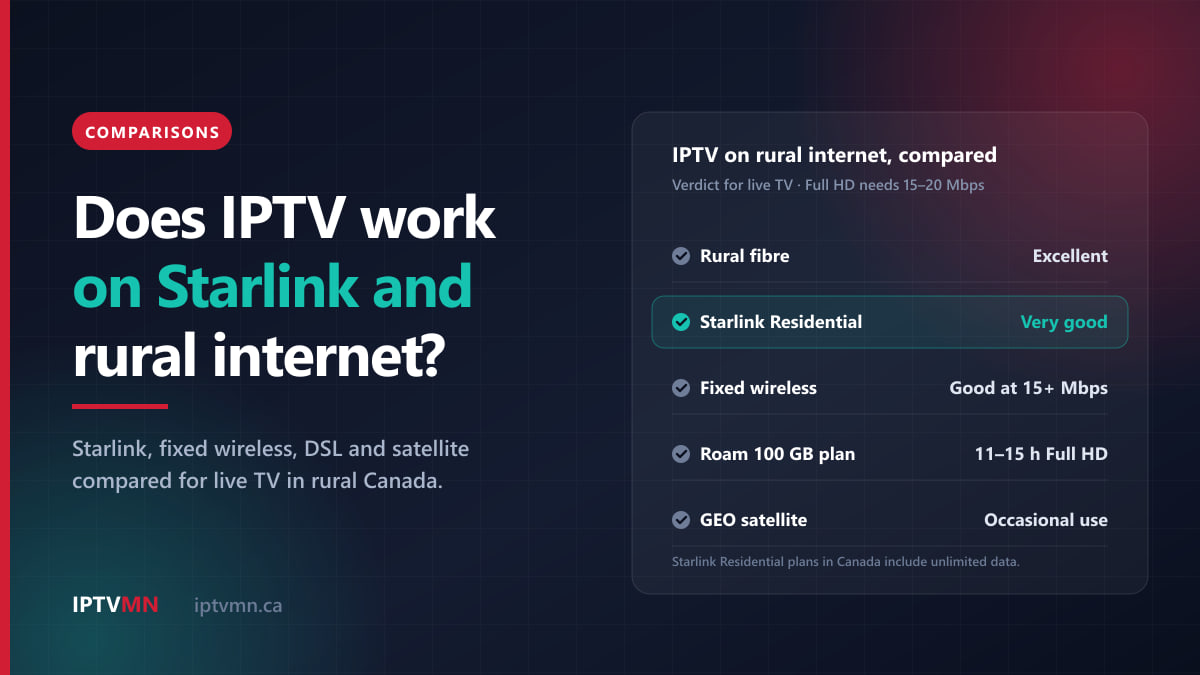
Does IPTV Work on Starlink and Rural Internet in Canada? Every Option Compared
Does IPTV work on Starlink in Canada? Yes, and on most rural internet too. Compare Starlink, fixed wireless, DSL and satellite, plus the settings that help.
Read the guide
Comparisons 17 min read
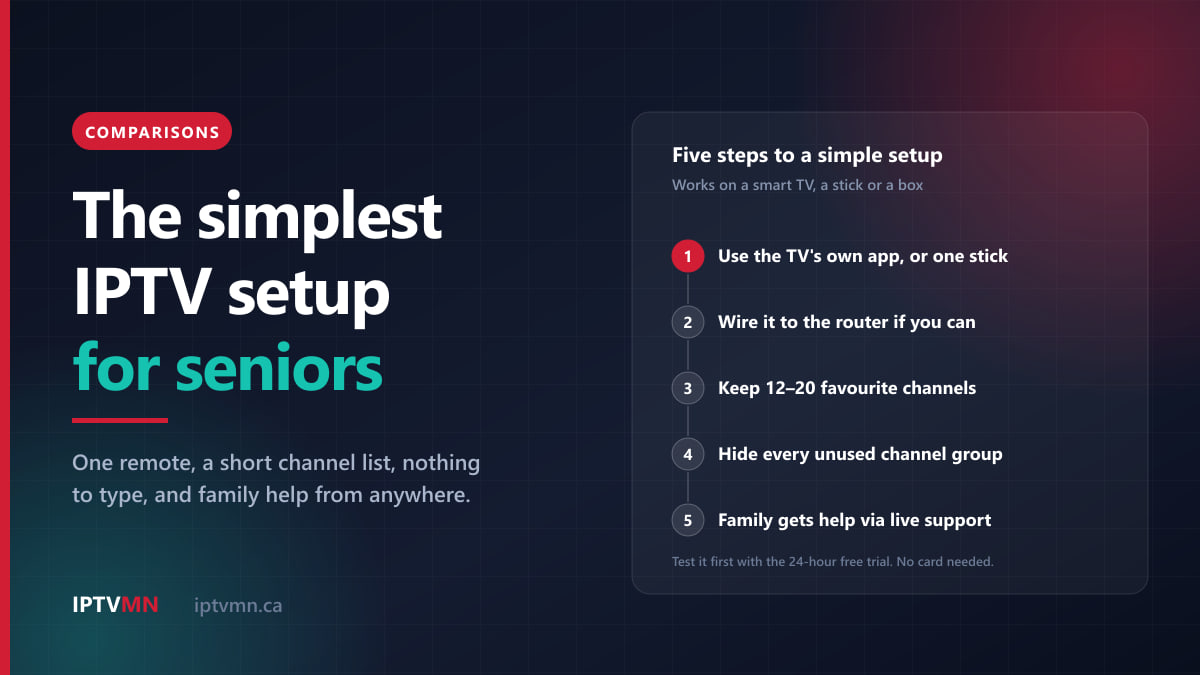
IPTV for Seniors: The Simplest Setup for Parents and Grandparents in 2026
IPTV for seniors works best with one remote, a short channel list and nothing to type. We compare the simplest setups and how family can help from afar.
Read the guide
Comparisons 17 min read
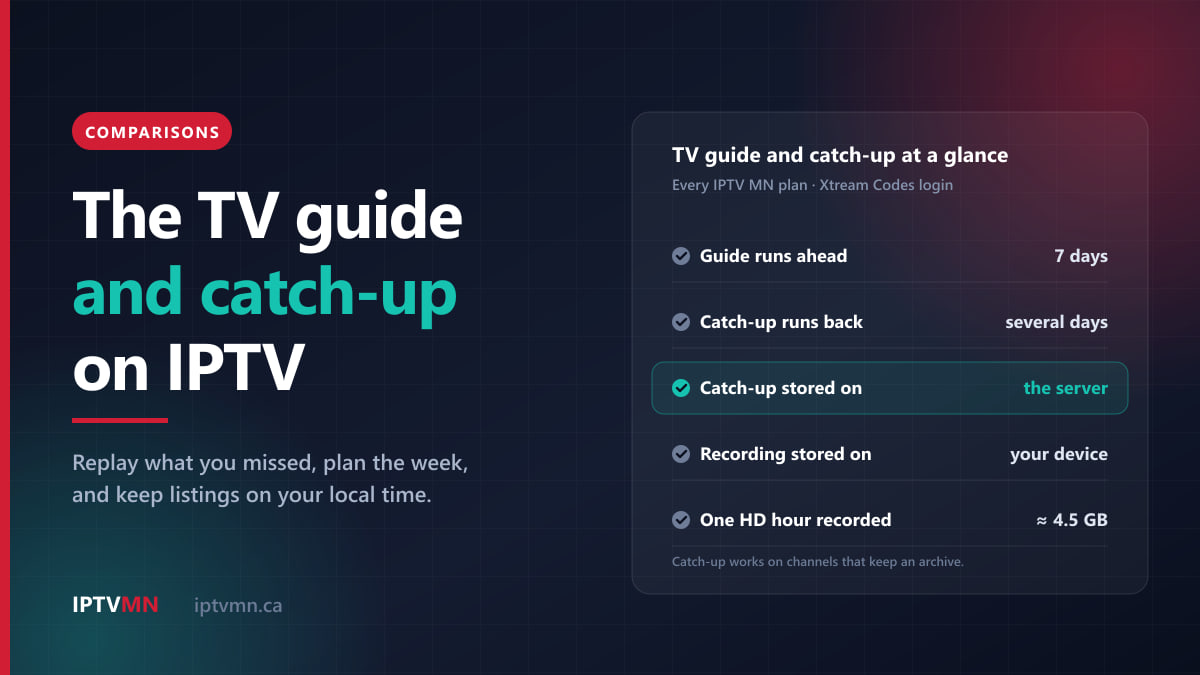
How to Use the TV Guide and Catch-Up TV on IPTV in Canada (2026)
Use IPTV catch-up TV to replay missed shows, compare it with recording, and keep the guide right as western provinces stop changing clocks.
Read the guide