Comparisons
IPTV vs Netflix, Crave and Sports Apps: What You Actually Need in Canada (2026)
IPTV vs streaming apps in Canada: what Netflix, Crave, Disney+, Prime and the sports apps cost in 2026, what each does best, and which ones to keep.
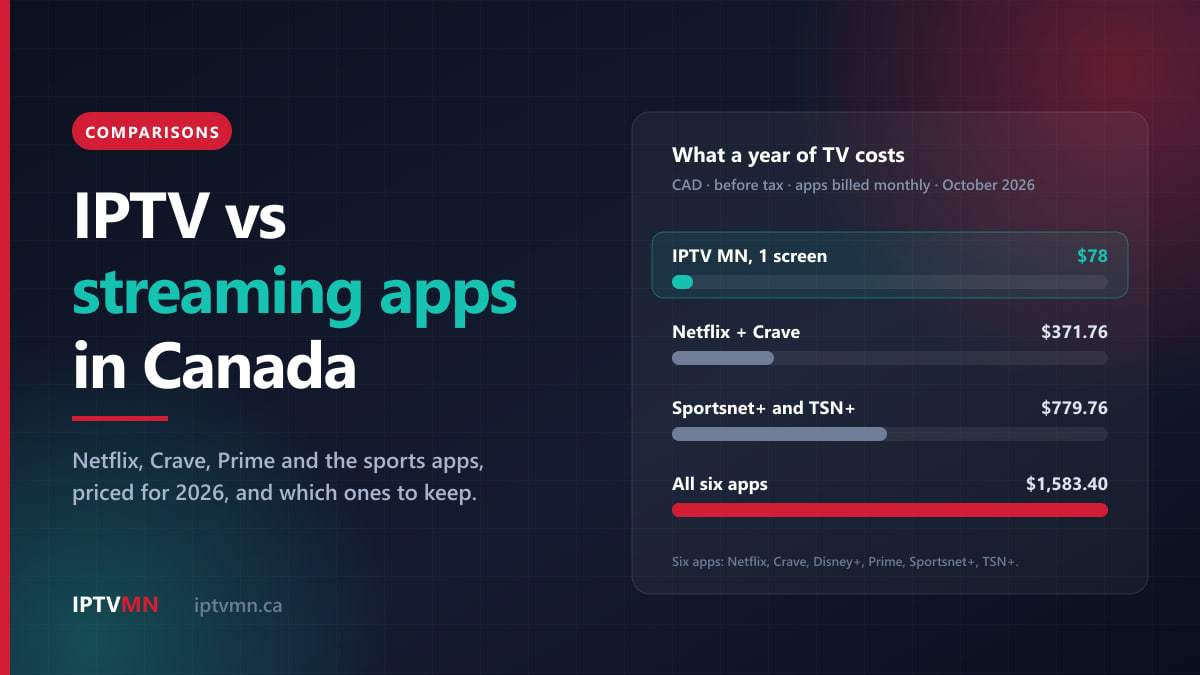
In the IPTV vs streaming apps question, most Canadian households do not actually have to pick one side. Streaming apps such as Netflix, Crave and Disney+ are on-demand libraries built around their own shows. IPTV is live television: news, local stations and every sports feed, with a programme guide and catch-up. They do different jobs, and the expensive mistake is paying several apps to do the job one IPTV plan already does.
The money sits in the overlap. Stack Netflix, Crave, Disney+, Prime Video, Sportsnet+ and TSN+ at their current monthly prices and you pay $131.95 a month, or $1,583.40 a year, before tax. A large share of that pile is there to cover live sports. This guide prices each app as it stands in October 2026, sets out what each one does better than IPTV and the reverse, and helps you decide which subscriptions to keep.
The short answer
- You mostly watch live TV, news and sports: an IPTV plan covers it, and the sports apps are usually the first subscriptions to drop.
- You watch one or two streaming originals every week: keep that one app alongside IPTV. Nothing else gets those shows the day they come out.
- You follow the NHL or the Raptors closely: keep Prime Video too, because its Wednesday hockey and its NBA games are streaming exclusives that no channel carries.
- You only watch on-demand shows and never live TV: one streaming app is simpler, and you probably do not need IPTV at all.
- You pay for four or more apps: rotate the on-demand ones month by month instead of holding them all year.
What is the difference between IPTV and a streaming app?
A streaming app sells you one company’s catalogue. Netflix carries Netflix’s films and series plus what it licenses, Crave carries Bell Media’s library along with HBO and Starz content, and Disney+ carries Disney’s. You pick a title and it plays from the start. A few apps add some live content, but the core product is on demand.
IPTV delivers live television channels over your internet connection, as cable does, but through an app on your TV, streaming stick or phone. You get a channel list, a programme guide showing what is on now and next, and catch-up for programmes that aired earlier. IPTV MN carries more than 54,000 live channels and adds an on-demand library of more than 195,000 movies and 45,000 TV shows. So it is not only live, but live is what it is built for.
Put simply:
- A streaming app answers “I want to watch this particular show.”
- IPTV answers “What is on right now?”, and covers the game, the news and the local stations.
The legal question comes up in every comparison like this, so here is the plain version. The technology is legal, and it is what Canadian carriers use for their own TV: Bell Fibe TV and Rogers Ignite TV are both IPTV. What matters is the licensing of the content a particular service carries. IPTV MN supplies network access and reseller services and does not host, record or broadcast media, and subscribers are responsible for complying with the Copyright Act and the Broadcasting Act. The full position is in the disclaimer.
How much do streaming apps cost in Canada in 2026?
These are the prices listed in October 2026, in Canadian dollars, before tax. Streaming prices in Canada have changed several times in the past two years, so check each service before you budget around a figure. Netflix’s own plans and pricing page shows the current price for where you are.
| Service | Plans | Price | What you pay for |
|---|---|---|---|
| Netflix | Standard with ads, Standard, Premium | $7.99, $18.99, $23.99 a month | Netflix originals and licensed films |
| Crave | Standard with Ads, Premium Ad-Free | $11.99, $22 a month | HBO, Starz and Bell Media shows |
| Disney+ | Standard with Ads, Standard, Premium | $8.99, $15.99, $16.99 a month | Disney, Pixar, Marvel, Star Wars |
| Prime Video | Included with Amazon Prime | $9.99 a month or $99 a year | Amazon originals, NHL Wednesdays, NBA games |
| Sportsnet+ | Standard, Premium | $34.99, $44.99 a month | Sportsnet feeds, Monday Night Hockey |
| TSN+ | One plan | $29.99 a month or $249.99 a year | TSN feeds and streams |
A few details change the picture:
- Cheaper tiers come with trade-offs. Netflix’s Standard plan streams on two devices at a time and Premium on four. Crave’s ad-supported plan streams in 1080p on two screens, and the 4K plan with four streams is the $22 one. Prime Video shows ads unless you add $2.99 a month.
- Annual billing helps on sports. Sportsnet+ Standard is $269.99 a year and Premium $344.99, against $419.88 and $539.88 for twelve monthly payments. TSN+ is $249.99 a year against $359.88.
- Bundles exist. Crave Premium and TSN together are $37.99 a month, and some Bell mobile plans include Crave Standard with Ads.
What does a typical streaming stack add up to?
Few households stop at one app. Here is what four common combinations cost over a year at the prices above, with each app billed monthly, against IPTV MN plans paid up front.
| Setup | Per month | Over 12 months |
|---|---|---|
| Netflix Standard and Crave Standard with Ads | $30.98 | $371.76 |
| Sportsnet+ Standard and TSN+ | $64.98 | $779.76 |
| Netflix, Disney+ and Crave Premium, plus Prime | $66.97 | $803.64 |
| All six apps from the table above | $131.95 | $1,583.40 |
| IPTV MN, 1 connection, 12 months | $6.50 | $78 |
| IPTV MN, 3 connections, 12 months | $14.92 | $179 |
The family row uses the ad-free Standard plans for Netflix and Disney+. Three things stand out.
The sports apps are the expensive layer. Sportsnet+ Standard and TSN+ together cost $519.98 a year even on annual billing, more than six years of a single-screen IPTV plan at $78. They are also the layer IPTV replaces most completely. IPTV MN carries TSN 1 to 5, Sportsnet East, Ontario, West and Pacific, Sportsnet One, 360 and World, and in French RDS, RDS2, TVA Sports and TVA Sports 2.
The on-demand apps are cheap one at a time and expensive together. Each looks like a small charge on its own, which is exactly why stacks grow. Four entertainment apps come to more than $800 a year.
None of these stacks is wrong in itself. If you watch all of it, you are paying for what you use. The point is to see where the overlap sits, so you cut the right subscription rather than the cheapest one. If you are also weighing a cable package, our line-by-line breakdown of a real cable bill prices that side the same way.
What do streaming apps do better than IPTV?
A fair comparison starts with what the apps do well, because some of it no channel lineup can match.
Originals on release day
A new season of a Netflix, Disney+ or Apple TV series lands on that app and nowhere else. If a particular show is the reason you watch, you need the app that made it. IPTV is not a way around that, and should not be sold as one.
Streaming exclusives in sport
This is the one sports fans tend to miss. In 2026-27, Prime Video holds Wednesday Night Hockey exclusively, with at least 26 national games, and Monday Night Hockey streams only on Sportsnet+. Prime Video also carries 66 national NBA regular-season games this season. None of those games is on a television channel, so cable, satellite and IPTV are all shut out of them. Our NHL 2026-27 season guide maps which games sit where.
Downloads and profiles
Most apps let you download episodes for a flight and keep a separate profile, with its own watch history, for each person in the house. The children’s profiles in Netflix and Disney+ are well designed and easy for a parent to manage.
The same app on every screen
The big streamers have their own apps on almost every smart TV, console and phone, and they behave the same everywhere. An IPTV player app does its job well, but it is a player rather than a branded storefront, and it takes a few minutes to set up the first time.
Paying the studio directly
Some people prefer to pay the company that made the programme. That is a reasonable choice, and the apps are the way to do it.
What does IPTV do better than streaming apps?
Live channels, all in one guide
IPTV MN carries the channels you would flip through on cable: CBC, CTV, Global and Citytv stations, CP24, CBC News Network and CTV News Channel, plus specialty channels such as Showcase, AMC, FX Canada and W Network. Each streaming app holds one company’s catalogue. A channel lineup holds dozens of broadcasters at once, so the evening news and the late game are a press of the guide button apart.
Every sports feed, without two apps
Regional feeds are where streaming gets awkward. Your team’s games move between TSN, Sportsnet and their regional feeds from night to night, and the apps split that coverage down the middle. With IPTV MN they all sit in one guide, alongside NHL Network and NBA TV Canada. That covers everything except the streaming exclusives above. Premium PPV events are included with every plan, too.
Premium channels as they air
IPTV MN carries Crave 1 to 3, HBO Canada, Starz, Super Écran and Hollywood Suite as live channels. If you mostly watch HBO dramas and big films when they are scheduled, those channels may cover what you keep Crave for. If you binge whole back catalogues on demand, the Crave app is still the place for that.
Catch-up instead of a fixed schedule
Smart EPG and catch-up TV come with every plan, so a programme that aired earlier can be replayed from the guide, much as you would pick it from an app. Our guide to the TV guide and catch-up shows how that works in practice, including favourites and time zones.
One price, and nothing renews by itself
IPTV MN plans run for one, three, six or twelve months, paid up front by Interac e-Transfer from your own bank app. There is no auto-renewal, so nothing is charged without you asking. Streaming apps bill monthly by default and keep billing until you cancel, which is how forgotten subscriptions pile up.
Languages, and travel
No Canadian streaming app holds channels from dozens of countries in their own languages. A channel lineup does, so check the channels list for the ones your household needs. And while Crave, Sportsnet+ and TSN+ are built for viewing inside Canada, an IPTV login works on any internet connection, which matters for snowbirds and anyone who travels for work.
Which streaming apps should you keep alongside IPTV?
The test is simple. Keep an app if it gives you something you watch every week that no channel carries. Drop it if it mostly duplicates channels you would already have.
| App | Keep it if | Consider dropping it if |
|---|---|---|
| Netflix | You watch its originals most weeks | You open it once a month to scroll |
| Crave | You binge HBO back catalogues on demand | You watch HBO and Bell Media shows as they air |
| Disney+ | Your children rewatch the same films daily | The children have outgrown it |
| Prime Video | Wednesday hockey or the NBA matter, or you use Prime for shipping | You joined for one series that has ended |
| Sportsnet+ | Monday Night Hockey or out-of-market games matter | You only want the Sportsnet channels |
| TSN+ | You want to pay the broadcaster directly | You already receive TSN 1 to 5 another way |
Two habits save more than any single cancellation.
- Rotate the on-demand apps. Subscribe to one for the month a series you want arrives, watch it, cancel, and move to the next. With most apps, cancelling stops the next charge and you keep watching until the end of the month you paid for. Keeping one app at a time instead of four saves several hundred dollars a year.
- Use the free services. CBC Gem is free with ads, ICI TOU.TV and TVA+ are free, and CTV and Noovo programmes now stream on Crave free with a Bell Media account. Between them they cover a good share of Canadian network television on demand.
Five Canadian households, five setups
These are typical situations rather than individual customers.
A Leafs fan in Toronto. They pay Sportsnet+ Standard and TSN+ monthly, plus Netflix Standard: $83.97 a month, or $1,007.64 a year. They move to a twelve-month IPTV MN plan at $78, which carries TSN4, Sportsnet Ontario and every national Sportsnet feed, and add Prime at $99 a year for the Wednesday games. With Netflix kept, the year comes to $404.88. They lose Monday Night Hockey, which streams only on Sportsnet+, and decide they can live with that. Setup: IPTV, Prime and Netflix. See IPTV in Toronto.
A family of four in Vancouver. Two children with Disney+ on constant repeat, and parents who watch the Canucks on Sportsnet Pacific and the evening news. On busy nights three screens are on at once. Setup: IPTV with three connections at $179 for twelve months, plus Disney+, with Netflix moved onto rotation for the series they actually follow. See IPTV in Vancouver.
A student in Halifax. Netflix with ads at $7.99 covers most evenings, and live TV only matters when the playoffs start. Setup: Netflix with ads, plus a one-month IPTV plan at $18 in the months the games matter. Nothing renews, so there is nothing to remember to cancel. See IPTV in Halifax.
A retired couple in Winnipeg. They watch CTV and CBC news, the Jets on TSN3 and a film at the weekend. They were paying $22 a month for Crave Premium and opening it a couple of times a month. Setup: IPTV on one connection at $78 a year, with films from the on-demand library and the Crave and HBO Canada channels, and the Crave app dropped. See IPTV in Winnipeg.
A couple who never watch live TV. Two Netflix originals and a Crave series on the go, no sport, and the news comes from their phones. Setup: keep the apps and skip IPTV. A channel lineup adds very little for a household that never turns on a live channel, and it would be wrong to tell them otherwise.
Who is IPTV not the right fit for?
Being clear about this saves everyone time.
- On-demand-only viewers. If you never watch a live channel, one or two apps are simpler and cheaper than adding anything.
- Homes with slow or capped internet. Live TV has almost no buffer to fall back on. Plan on a steady 15 to 20 Mbps for each Full HD screen in the evening. Each Mbps of streaming uses about 0.45 GB an hour, so three hours of HD every evening comes to roughly 400 GB a month. That is irrelevant on an unlimited plan and a problem on a 200 GB one.
- Anyone who wants every game on one bill. The Prime Video and Sportsnet+ exclusives sit outside every channel lineup, so a hockey completist needs at least one app whatever else they choose.
- People who value downloads and profiles above everything. The big apps do those better.
- People who want each rights holder to bill them directly. The apps are the licensed route for that, and it is a legitimate choice.
How do I test IPTV before cancelling an app?
Do not cancel anything first. Run both side by side for a day and compare.
- List what you actually watched last month in each app. Most people find one or two apps doing nearly all the work.
- Request the 24-hour free trial. No card is needed. Ask on the free trial page or through live support.
- Install the player on your main TV. The installation guides cover every common device, including Samsung and LG smart TVs, Apple TV and Android TV. On Amazon devices, use a Fire TV Stick 4K Max or 4K Plus with the Fire TV Stick guide; the newest sticks running Vega OS cannot install the player app.
- Watch a live game and the news at around 8 pm, the busiest hour, and check the exact channels you would otherwise pay an app for.
- Choose a plan by screens. Count how many TVs are on at the same time, then pick one, two or three connections on the pricing page. Pay by Interac e-Transfer and your login arrives by email, usually within ten minutes. The IPTV subscription page lists what you receive.
- Cancel the apps you no longer need a few days before their next billing date.
If something cannot be made to work on your equipment, the seven-day refund policy applies. A connection that is simply too slow does not qualify, which is why the trial comes first.
Frequently asked questions
Can IPTV replace Netflix?
Not for Netflix originals, which are licensed to Netflix and released there. IPTV MN has an on-demand library of more than 195,000 movies and 45,000 TV shows, and for many households that means opening Netflix less often. If you watch its own series week to week, keep Netflix alongside IPTV.
Is IPTV cheaper than Sportsnet+ and TSN+?
Yes, by a wide margin. Sportsnet+ Standard and TSN+ together cost $519.98 a year on annual billing, or $779.76 paid monthly, while a year of IPTV MN on one screen is $78. The exception is streaming-only content such as Monday Night Hockey on Sportsnet+, which no channel carries.
Do I still need Prime Video if I have IPTV?
Only if you want its exclusives. In 2026-27, Prime Video holds Wednesday Night Hockey and a national NBA package that are not on any television channel. If those games matter to you, a Prime membership at $99 a year is the only way to see them.
Does IPTV include Crave?
IPTV MN carries Crave 1 to 3 and HBO Canada as live channels. It does not include the Crave app’s on-demand catalogue, which only Crave sells. If you watch HBO series when they air, the live channels may be enough; for whole back catalogues, the app is the place.
Can I watch IPTV on several TVs at once?
Yes. IPTV MN plans come with one, two or three connections at every length, and each connection is one screen watching at a time. You can install the app on as many devices as you like. A twelve-month plan is $78 for one connection, $128 for two and $179 for three.
Is it legal to use IPTV instead of streaming apps?
The technology is legal, and it is what Canadian carriers such as Bell and Rogers use for their own TV. What matters is the licensing of the content a service carries. IPTV MN supplies network access and reseller services and does not host, record or broadcast media, and subscribers are responsible for complying with the Copyright Act and the Broadcasting Act. The disclaimer sets out the full position.
Streaming apps or IPTV: keep what you actually use
Streaming apps and IPTV are not really rivals. The apps own their originals and their streaming exclusives, and nothing else gets you those. IPTV owns live television: the news, the local stations and every regional sports feed in one guide, for $78 a year on one screen. Most households save the most by letting IPTV handle everything live and keeping only the one or two apps whose own shows they watch every week.
The calm way to find out where you stand is to test before you cancel. Take the free 24-hour trial, watch a game and the news on your own TV at 8 pm, and compare it with what your apps cost you last month. If it earns its place, the pricing page sets out every plan by screens and length. For a wider view, is IPTV the best choice in Canada weighs it against cable and satellite as well, and our page on the best IPTV in Canada sets out the standard to hold any provider to, including this one.
Written by the IPTV MN team
We run the servers in Toronto and Montreal and answer the support messages. Everything here comes from what we see on the network and what Canadian members actually ask us. Something unclear or out of date? Tell us and we will fix it.
Keep reading
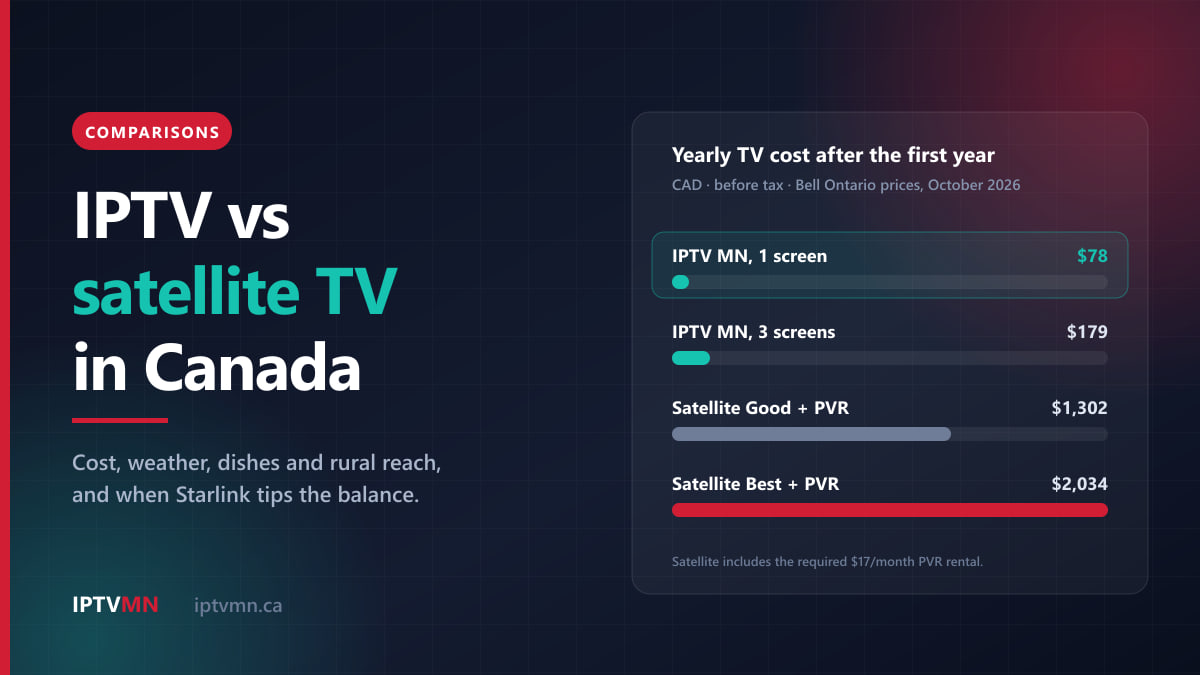
Comparisons 16 min read
IPTV vs Satellite TV in Canada: Cost, Weather and Rural Reach Compared (2026)
IPTV vs satellite TV in Canada, compared on yearly cost, weather, dishes and rural reach, plus when Starlink tips the balance and who should keep satellite.
Read the guide
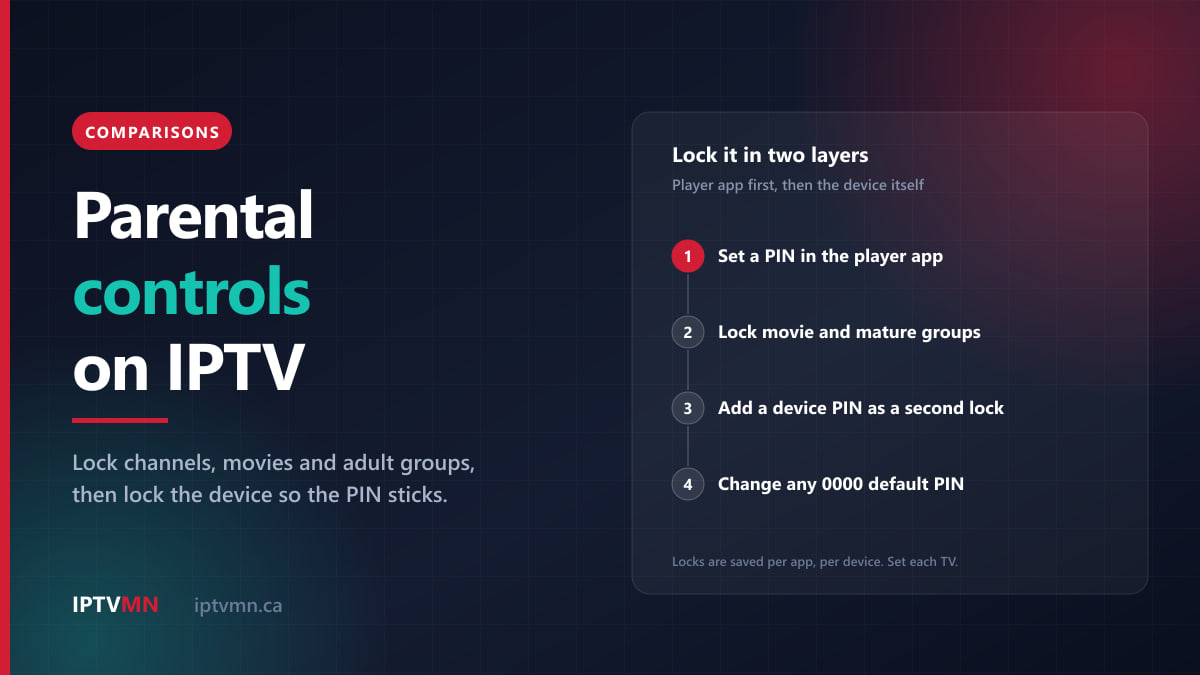
Comparisons 16 min read
Parental Controls on IPTV: How to Lock Channels, Movies and Adult Content (2026)
IPTV parental controls compared: PIN locks in TiviMate, Smarters and IBO Player, device locks on Fire TV and Apple TV, and the gaps most parents miss.
Read the guide
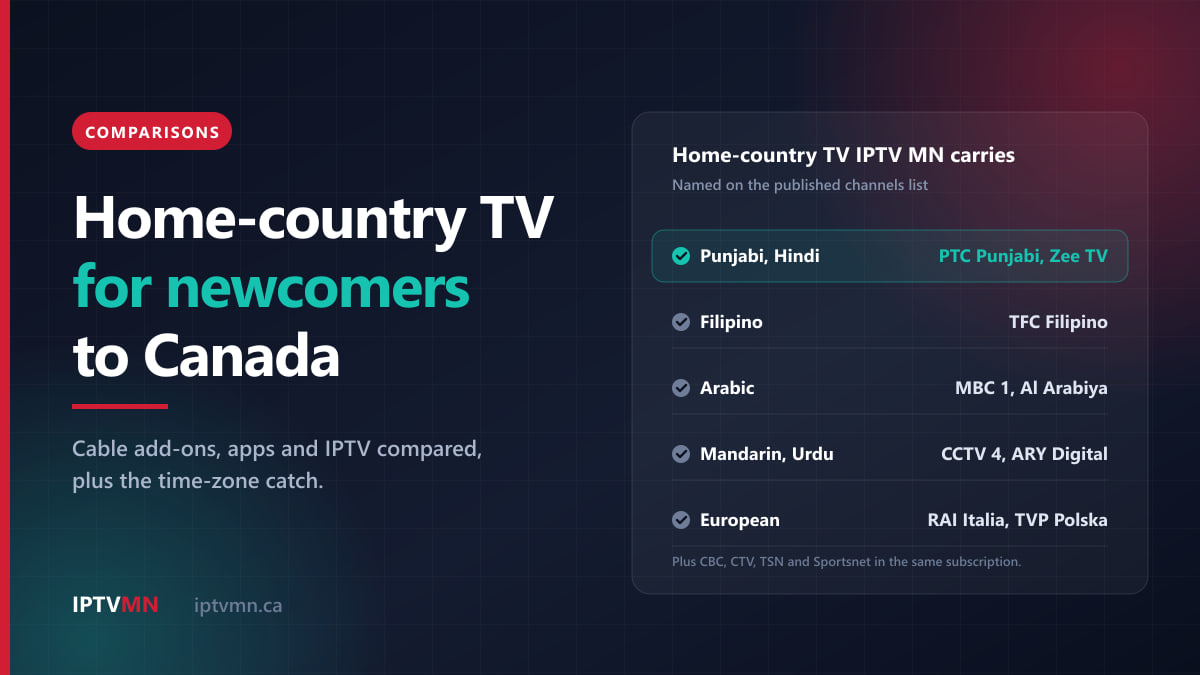
Comparisons 13 min read
International TV Channels in Canada: How Newcomers Keep Watching TV From Home (2026)
International TV channels in Canada compared for newcomers: cable add-ons, home-country apps and IPTV, which languages are carried, and the time-zone catch.
Read the guide