Comparisons
IPTV vs Satellite TV in Canada: Cost, Weather and Rural Reach Compared (2026)
IPTV vs satellite TV in Canada, compared on yearly cost, weather, dishes and rural reach, plus when Starlink tips the balance and who should keep satellite.
If your home has a steady broadband connection, IPTV beats satellite TV in Canada on almost every count that matters. It costs a fraction as much over a year, it does not fade out in a storm, it needs no dish or rented receiver, and it works on any screen in the house. In the IPTV vs satellite question, satellite keeps one real advantage: it does not need the internet at all.
That one advantage still decides the answer for some homes, mostly rural ones with no usable broadband or a tightly capped connection. Starlink has shrunk that group a great deal. This guide compares the two on cost, weather, equipment, reach and channels, with real 2026 figures, so you can tell which side of the line your home falls on.
The short answer
- Unlimited home internet that holds 15 to 20 Mbps per screen in the evening: IPTV is the better choice, and the saving is usually more than $1,000 a year.
- Starlink Residential: IPTV over Starlink is the tie-breaker. One dish for internet and television, unlimited data, and no second bill for a satellite package.
- Internet that is capped, slow or unreliable: keep satellite TV for now.
- No broadband at all: satellite TV is still the practical option.
- A condo or rental where you cannot mount a dish: IPTV, because it needs no dish.
- Winters spent outside Canada: IPTV, because the login works on any internet connection. A satellite subscription stays with the dish at home.
How are IPTV and satellite TV different?
Satellite TV comes from a satellite parked about 36,000 km above the equator. A dish on your house, aimed at the southern sky, picks up the signal, and a receiver beside each television decodes it. Canada has two satellite TV services: Bell Satellite TV, and Shaw Direct, which has been part of Rogers since 2023. Neither needs an internet connection to show live channels.
IPTV delivers the same kind of live channels over your internet connection instead. An app on a smart TV, streaming stick or box signs in and plays the channel. It is not a fringe technology: Bell Fibe TV and Rogers Ignite TV are both IPTV, which is how Canada’s two largest carriers deliver their own television today.
So the real comparison is between a signal from space that needs a clear view of the sky, and a signal over the internet that needs a good connection. Almost everything else follows from that.
A word on legality, because the question always comes up. The technology is legal, and it is what Canadian carriers use for their own TV. What matters is the licensing of the content a particular service carries. IPTV MN supplies network access and reseller services and does not host, record or broadcast media, and subscribers are responsible for complying with the Copyright Act and the Broadcasting Act. The full position is in the disclaimer.
IPTV vs satellite TV at a glance
| Satellite TV | IPTV | |
|---|---|---|
| Needs home internet | No | Yes, 15–20 Mbps per Full HD screen |
| Equipment | Dish, plus a receiver or PVR per TV | An app on a device you already own |
| Installation | A technician mounts and aims the dish | You, in about five minutes |
| Heavy rain, wet snow, freezing rain | Can cut the signal | Only if your internet is affected |
| How you pay | Monthly package plus receiver rental | One price, paid up front for the period |
| Works away from home | No, it stays with the dish | Yes, on any internet connection |
| Works when the internet is down | Yes | No |
| Condo and rental friendly | Only where a dish is allowed | Yes |
How much does satellite TV cost compared with IPTV?
Satellite pricing in Canada is built from three parts: the channel package, the receiver and the installation. As a real example, Bell’s own satellite TV package page listed these prices for new residential customers in select Ontario areas in October 2026, before tax:
- Good: $91.50 a month, with a $10 monthly credit for the first year.
- Better: $117.50 a month, with the same first-year credit.
- Best: $152.50 a month, with the same first-year credit.
- Whole Home PVR: required with every package, at $17 a month to rent or $499 to buy refurbished.
- Installation: $60, including up to two additional receivers.
Bell also notes that prices may increase during the subscription. Shaw Direct structures its packages differently, and both providers’ prices vary by region, so check your own address rather than relying on any single set of figures.
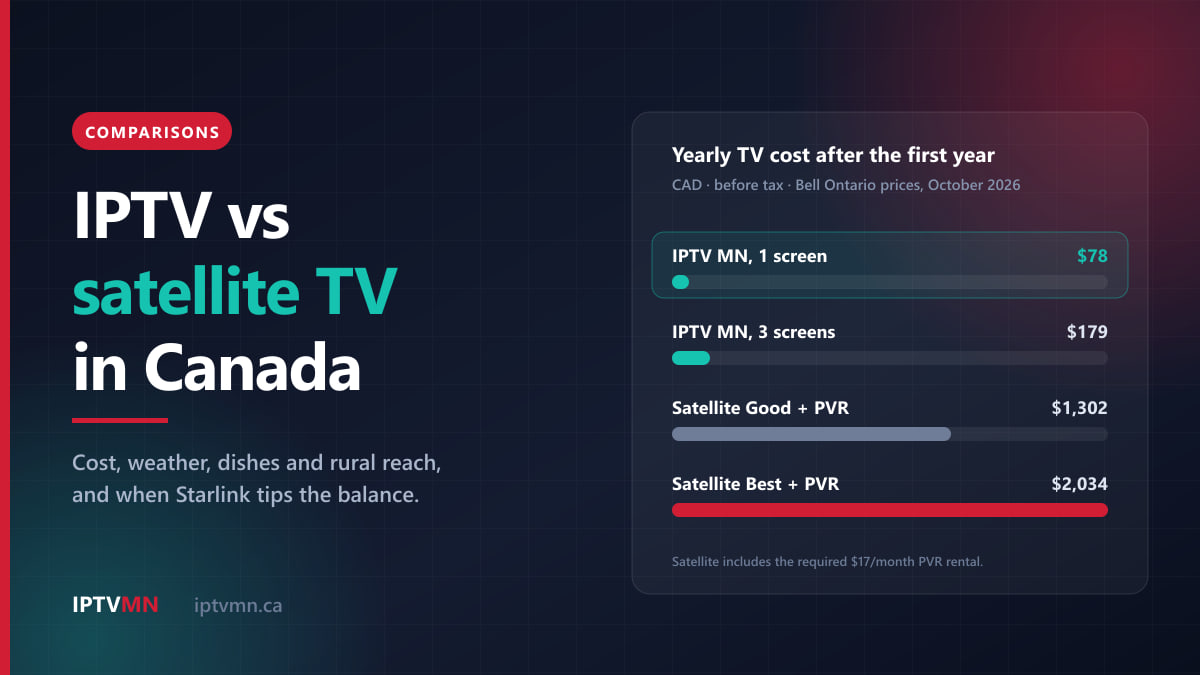
Here is what those numbers add up to over a year, against the plans on the IPTV MN pricing page:
| Setup (before tax) | First year | Each year after |
|---|---|---|
| Bell Satellite TV Good, with PVR rental | $1,242 | $1,302 |
| Bell Satellite TV Better, with PVR rental | $1,554 | $1,614 |
| Bell Satellite TV Best, with PVR rental | $1,974 | $2,034 |
| IPTV MN, 1 connection, 12 months | $78 | $78 |
| IPTV MN, 3 connections, 12 months | $179 | $179 |
The first-year satellite figures include the $10 monthly credit and the $60 installation; the later years have neither. Even the smallest package with a rented PVR comes to more than $1,200 a year. A year of IPTV on one screen is $78, which works out at $6.50 a month. A two-connection year is $128, and a single month is $18 if you would rather not commit to longer.
There is one cost IPTV adds that satellite does not: home internet. Most Canadian homes already pay for it, so for them it is not an extra. If you would be buying an internet plan only to watch television, add that bill to the IPTV side before comparing. Our line-by-line breakdown of a cable bill uses the same method for cable, if you are weighing that too.
Does weather affect satellite TV more than IPTV?
Yes, and this is the difference satellite households notice most. Bell’s own support page puts it plainly: “Severe rainstorms, hail, wet snow and freezing rain can affect your TV signal.” The frequencies satellite TV uses are weakened by water in the air, so the heaviest storms can freeze the picture, break it into blocks or cut it entirely until the weather passes. This is known as rain fade, and it tends to arrive at exactly the moment everyone is indoors watching.
Snow is the second problem. Wet, sticky snow building up on the dish blocks the signal, and Bell’s satellite signal troubleshooting page names “a growing tree and accumulated snow” as the most common obstructions. Clearing it means going out in the storm and brushing the dish gently, without knocking it out of alignment. Freezing rain, a regular winter event from eastern Ontario to Newfoundland, is the worst case of all.
IPTV has no dish, so the weather only matters through your internet connection:
- Fibre and cable internet run through buried or pole-mounted lines and are rarely touched by rain or snow.
- Fixed wireless can weaken in very heavy rain on longer links, though far less often than a satellite TV signal fades.
- Starlink uses a dish too, but it heats itself to melt snow, and heavy rain usually slows it for a while rather than cutting it off.
One weather risk is shared by both: a power cut. A satellite receiver needs power just as a modem does, so an outage stops both unless you have a generator or a battery backup.
What does each one need at your home?
Satellite TV: a dish with a clear view south
A satellite TV dish has to see its satellite, which from Canada sits in the southern sky. The further north you live, the lower it sits above the horizon, so a hill, a stand of spruce or the building next door is more likely to block it. A technician mounts the dish, aims it and runs a cable to each receiver.
That brings three practical limits:
- Condos and rentals. Many condo boards and leases restrict dishes on balconies and outside walls, and a north-facing unit may have no view of the right part of the sky at all.
- A box per television. Each TV needs its own receiver or PVR wired to the dish. Moving a TV to another room means moving a cable.
- Trees keep growing. A dish that worked perfectly when it was installed can lose its view a few summers later.
IPTV: a device and a connection
IPTV needs an app and an internet connection. Most recent smart TVs can install the app directly, as our Samsung smart TV guide shows. Older TVs need a streaming device, such as an Android TV box or a Fire TV Stick 4K Max set up with the Fire TV Stick guide. Avoid the newest Fire TV Sticks that run Amazon’s Vega OS, because they cannot install the player app. Every supported device has its own page in the installation guides.
Instead of a box per TV, IPTV plans count connections: the number of screens watching at the same time. You can install the app on every device in the house, and a one-connection plan plays on one of them at a time. IPTV MN sells one, two or three connections at every plan length.
The internet connection is the part to check. Plan on a steady 15 to 20 Mbps for each Full HD screen, measured in the evening, and a cable to the main TV if you can run one. Our guide to how much internet speed IPTV needs has the per-screen numbers and the data maths.
Which works better in rural and northern Canada?
For decades this was satellite’s strongest argument. A dish works at the end of a gravel road as well as it does in a suburb, as long as it can see the sky, and much of rural Canada had no broadband worth the name.
That is no longer the whole story. Starlink, rural fibre built with public funding, fixed wireless and 5G home internet now reach many homes that had only satellite a few years ago. Our guide to IPTV on Starlink and rural internet compares each of those connections for live TV in detail. The short version:
| Your rural connection | Better choice for live TV | Why |
|---|---|---|
| Rural fibre | IPTV | Steady and usually unlimited |
| Starlink Residential | IPTV | Unlimited data on every residential plan |
| Fixed wireless or 5G, unlimited, 15+ Mbps in the evening | IPTV | Enough for at least one Full HD screen |
| Fixed wireless or 5G with a tight data cap | Satellite TV, for now | Daily TV would use up the cap |
| Geostationary satellite internet | Satellite TV | A few hundred GB a month does not cover daily TV |
| No broadband at all | Satellite TV | IPTV needs an internet connection |
The data cap is what usually tips it. Full HD uses roughly 6.8 to 9 GB an hour, so three hours of television every evening comes to about 600 to 800 GB a month. On an unlimited plan that does not matter. On a 200 GB plan it rules IPTV out as the main way to watch.
Is Starlink the tie-breaker?
For a growing number of rural households, yes. If you already have Starlink Residential for the internet, you are paying for a dish that can carry television as well. Every residential plan Starlink sells in Canada includes unlimited data, so a few hours of TV a night costs nothing extra, and a year of IPTV on one screen is $78. Keeping a satellite TV package on top means a second dish and a second bill of $1,200 or more a year for the same live channels.
Starlink also copes with winter better than a satellite TV dish. It can heat itself to melt snow: in the Starlink app, under Settings, then Starlink, then Snow melt, the default is Automatic, and Pre-heat is worth switching on before a forecast storm. A satellite TV dish has no heater, so snow comes off by hand.
It is not a perfect tie-breaker, and there are three honest caveats:
- Obstructions matter more for live TV. Trees in Starlink’s view cause dropouts of a few seconds. An on-demand film hides them behind its buffer, but a live game freezes. Run the obstruction check in the Starlink app before you cancel anything, and raise the buffer in your player app.
- Roam plans are different. The 100 GB and 300 GB Roam plans run out quickly with daily TV. They suit cottage weekends, not a household’s main television.
- Do not buy Starlink only for TV. It is a sizeable monthly bill in its own right. If you have no other use for home internet, satellite TV on its own may still cost you less.
How do channels, sports and picture quality compare?
Satellite TV is sold in tiers. The channels you get depend on the package, and sports networks and premium movie channels often sit in the higher ones. Canadian sports are also split across regional feeds, so a satellite package carries the feeds its tier includes and no more.
IPTV MN carries every feed in one subscription: TSN 1 to 5, Sportsnet East, Ontario, West and Pacific, plus Sportsnet One, 360 and World, along with RDS, RDS2, TVA Sports and TVA Sports 2 in French. CBC, CTV, Global and Citytv stations are there too, and the service lists more than 54,000 live channels, with more than 195,000 movies and 45,000 shows on demand. Check the channels you actually watch on the channels list before you decide. That matters far more than any headline number.
On picture quality, be realistic about both. Satellite gives a consistent picture because nothing else in the house competes for the signal, and Bell lists both HD and 4K channels on its satellite service. IPTV delivers 4K where the source is 4K, which covers selected live events and much of the on-demand library, and other live channels in HD or Full HD, as they are broadcast. On a good connection the two look much the same on an ordinary television. On a weak connection, IPTV is the one that suffers.
Smart EPG and catch-up TV come with every IPTV MN plan, so you can go back to a programme you missed without having set a recording, which is most of the job a satellite PVR does.
Who should keep satellite TV?
Satellite is still the right answer for some homes, and it is better to say so plainly:
- No usable broadband reaches your address, and none is expected soon.
- Your only internet has a tight data cap, such as geostationary satellite internet or a capped fixed-wireless plan.
- Your internet drops out often, especially in the evening. Satellite keeps working when the internet does not.
- You want a technician to install it and one company to call when something goes wrong, and you are happy to pay for that.
- You have a cottage with no internet, and television there matters to you.
If one of those describes your home, the money IPTV would save does not make up for a television that stops every evening.
Who is better off switching to IPTV?
- Homes with unlimited fibre, cable, Starlink Residential, or fixed wireless that holds its evening speed.
- Households paying for satellite TV and home internet at the same time, which describes most satellite customers outside the most remote areas.
- People in condos and rentals where a dish is not allowed or has no view of the sky.
- Sports fans who want every regional feed without moving up a tier.
- Snowbirds and travellers, because the IPTV login works anywhere with internet.
- Anyone tired of brushing snow off a dish in January.
Four Canadian households, four verdicts
These are typical situations rather than individual customers.
A farm near Regina with satellite TV and Starlink. The family pays for a satellite package with a PVR, and for Starlink Residential for the internet. Two TVs, curling on one and Roughriders football on the other. They take the free trial, run Starlink’s obstruction check, and move to IPTV with two connections at $128 for twelve months, returning the rented PVR. Verdict: IPTV. See IPTV in Regina.
A condo in downtown Calgary. The building does not allow dishes on balconies, and the unit faces north anyway. Fibre internet is already in the suite. Verdict: IPTV, one connection at $78 for the year. See IPTV in Calgary.
A rural home outside Quebec City on capped fixed wireless. The plan has a 150 GB monthly cap and slows down in the evening. RDS and TVA Sports matter, and hockey is on most nights. Three hours a night would use up the cap within two weeks, even in HD. Verdict: keep satellite for now, and look again when fibre or an unlimited plan reaches the road. See IPTV in Quebec City.
Retired snowbirds in Ottawa. Satellite at the house, and four months in Florida every winter while the receiver sits unused. Verdict: IPTV, because the same login works on the Florida condo’s internet, with the guide and favourites intact. See IPTV in Ottawa.
How do I switch from satellite to IPTV without missing a game?
Run the two side by side for a few days rather than cancelling first.
- Check your satellite agreement. Note any term end date, the cancellation terms, and which equipment is rented and has to go back.
- Test your internet at the TV at 8 pm, the busiest hour. You want 15 to 20 Mbps for each Full HD screen.
- Take the 24-hour free trial. No card is needed. Request it on the free trial page, and if you want to test on a particular night, such as a big game or a stormy forecast, ask about a longer trial.
- Watch a live game at peak time and check the channels you actually use: your local news, your team’s regional feed, your language.
- Choose a plan by screens, not by rooms. Count how many TVs are on at once, then pick one, two or three connections on the pricing page. Pay by Interac e-Transfer from your bank app, and your login arrives by email, usually within ten minutes. The IPTV subscription page lists what you receive, including a backup server address.
- Cancel satellite and return the equipment once IPTV has carried you through a few evenings.
If anything goes wrong during setup, live support answers around the clock, and the seven-day refund policy covers a service that cannot be made to work on your equipment. One condition is worth knowing in advance: an internet connection that is simply too slow does not qualify, which is why the trial comes first.
Frequently asked questions
Is IPTV better than satellite TV in Canada?
For homes with steady, unlimited internet, yes. It costs a fraction of a satellite package over a year, is not affected by rain fade, needs no dish and works away from home. Satellite remains the better choice where there is no broadband or only a tightly capped connection.
Does IPTV work in bad weather?
IPTV has no dish, so storms only matter if they affect your internet connection. Fibre and cable internet are rarely touched by rain or snow. Starlink and fixed wireless can slow down in very heavy weather, but usually far less than a satellite TV signal fades.
Can I use my satellite TV dish for IPTV?
No. A satellite TV dish only receives broadcasts from the TV satellite, while IPTV arrives through your internet connection. If you switch, the dish is no longer needed, and rented receivers usually go back to the provider. A Starlink dish is different, because it is an internet connection and can carry IPTV.
Is IPTV cheaper than satellite TV?
Usually by a wide margin. A Bell Satellite TV package with the required PVR rental came to more than $1,200 a year at October 2026 Ontario prices, before tax, while a year of IPTV on one screen is $78. That comparison assumes you already pay for home internet, as most households do.
What happens to IPTV if the internet goes down?
The television stops until the connection comes back, just as Fibe TV or Ignite TV would. Satellite keeps working through an internet outage, which is its main remaining advantage. For an important game, the same IPTV login works on a phone over mobile data, if your plan has room for it.
Can I get IPTV in a remote or northern community?
Yes, anywhere with a broadband connection, because IPTV MN reaches you over the internet rather than from a dish. What matters is the connection at your address. Starlink Residential, with unlimited data, works well, while a capped connection limits how much television you can watch.
IPTV or satellite: making the call
The decision comes down to your internet connection. If it is unlimited and holds its speed in the evening, IPTV gives you more channels, every regional sports feed and no rain fade, for a small fraction of a satellite bill. If your internet is capped, unreliable or missing, satellite TV is still the sensible choice, and there is nothing wrong with keeping it.
The calm way to find out is to test before you cancel anything. Take the free 24-hour trial on a busy evening, ideally with weather in the forecast, and watch a live game on your own TV. If it holds up, compare plans on the pricing page by how many screens watch at once. Our page on the best IPTV in Canada sets out the standard to hold any provider to, including this one, and is IPTV the best choice in Canada weighs it against cable and streaming apps as well.
Written by the IPTV MN team
We run the servers in Toronto and Montreal and answer the support messages. Everything here comes from what we see on the network and what Canadian members actually ask us. Something unclear or out of date? Tell us and we will fix it.
Keep reading
Comparisons 16 min read
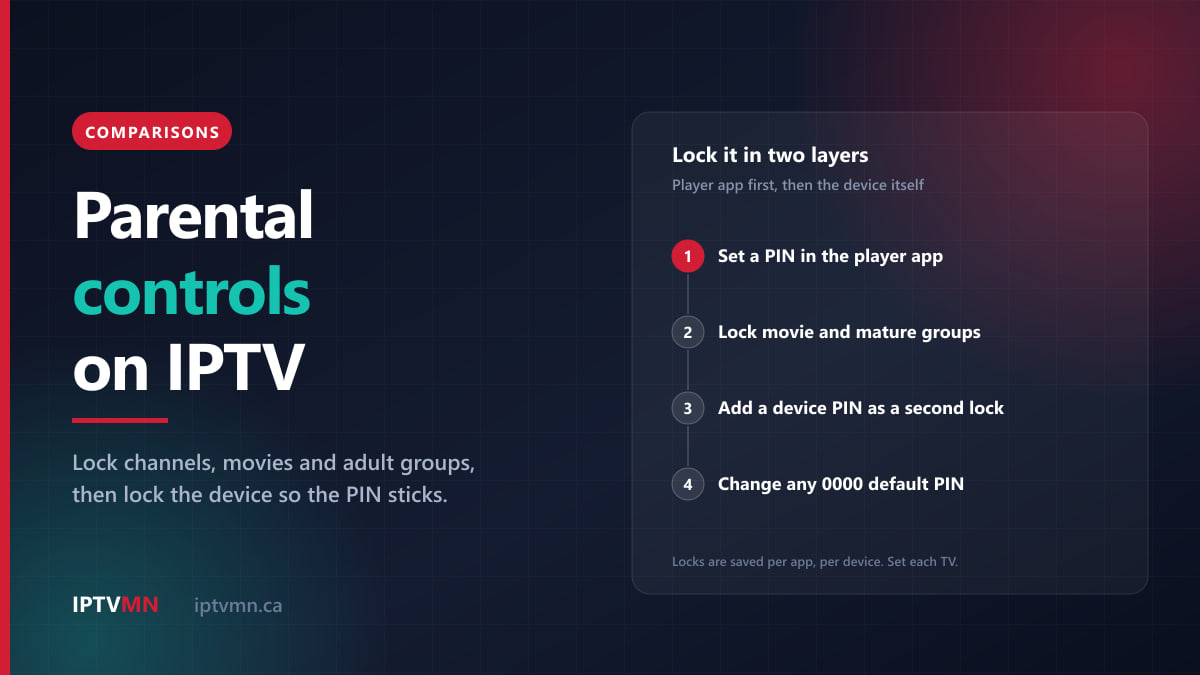
Parental Controls on IPTV: How to Lock Channels, Movies and Adult Content (2026)
IPTV parental controls compared: PIN locks in TiviMate, Smarters and IBO Player, device locks on Fire TV and Apple TV, and the gaps most parents miss.
Read the guide
Comparisons 13 min read
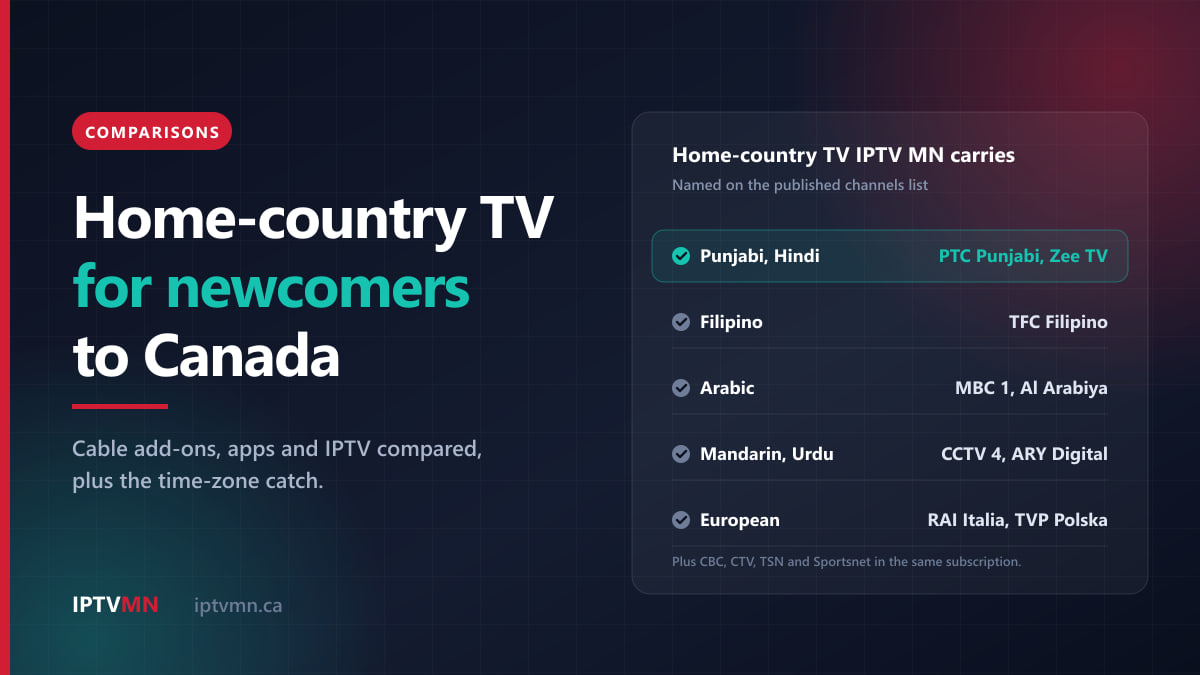
International TV Channels in Canada: How Newcomers Keep Watching TV From Home (2026)
International TV channels in Canada compared for newcomers: cable add-ons, home-country apps and IPTV, which languages are carried, and the time-zone catch.
Read the guide
Comparisons 14 min read
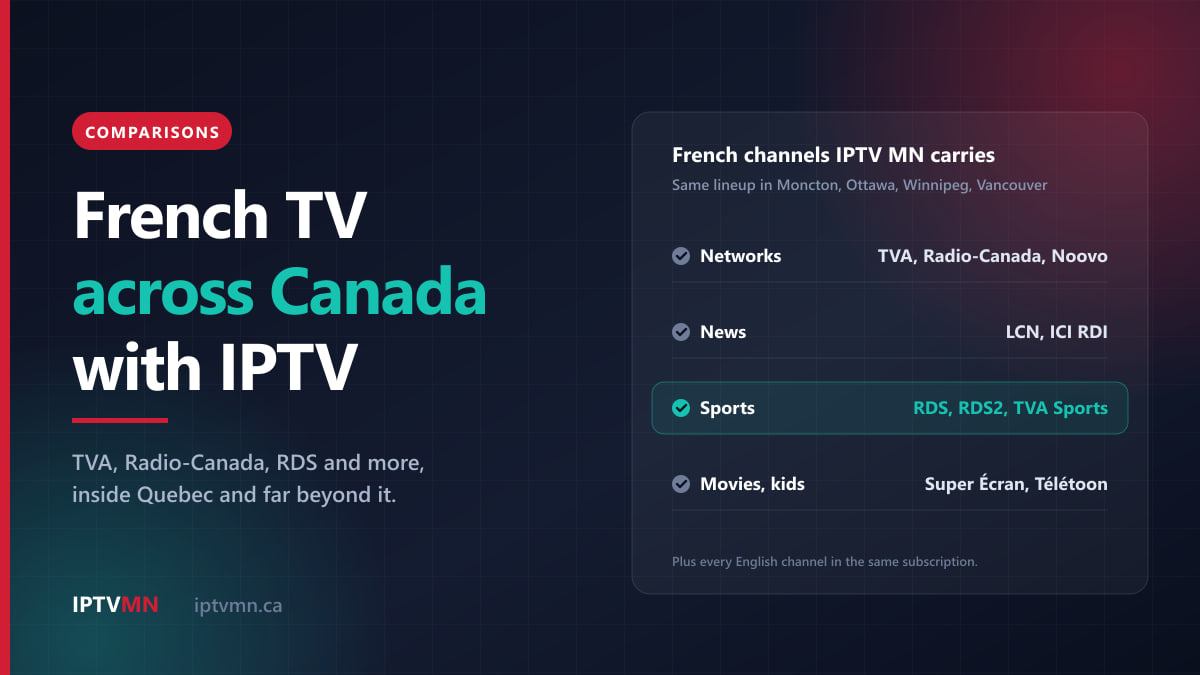
French TV Channels in Canada: How to Get TVA, Radio-Canada, Noovo and RDS Outside Quebec (2026)
French TV channels in Canada compared: what antennas, cable and free apps give you outside Quebec, where RDS and TVA Sports fit, and how IPTV fills the gaps.
Read the guide